
AI vibe coding project: build your own podcast app
🛍️ Products Mentioned (5)
Discover how to build custom podcast tools using AI-powered "vibe coding" - no programming experience required! In this video, I show you how to create your own podcast episode artwork generator using the open RSS protocol and modern podcasting metadata. I built a custom tool using V0.app that automatically generates episode artwork by pulling host and guest information from my podcast's RSS feed using the `podcast:person` tag. 💻 Check out my final project here: https://art.transistor.fm/ This is all possible because podcasting is built on open standards like RSS, enhanced by Podcasting 2.0. Timestamps: 0:00 - Introduction to vibe coding for podcasters 0:45 - Demo: Podcast episode artwork generator 1:21 - How it works: Parsing RSS feeds 1:37 - Pulling host and guest data automatically 2:00 - Understanding the podcast:person tag 2:29 - How to add person metadata in your podcast host 3:12 - The V0.app prompt I used to build this 4:10 - Potential applications for podcast hosting platforms 4:41 - Get started building your own tools Want to switch to a podcast hosting platform that supports these modern features? Try Transistor free for 14 days: https://transistor.fm/?via=youtube Tools mentioned: - https://V0.app by Vercel - Podcasting 2.0 namespace tags - https://podcasting2.org/ Resources: - Podcast Standards Project - https://podstandards.org/ Want to build on the open podcast ecosystem? Drop a comment below with ideas for tools you'd like to create!
🎬 More from Transistor podcasting

How to claim your show on Apple Podcasts Connect
60 views

Upload a video podcast to Apple Podcasts, YouTube, Spotify, RSS (first look at Transistor hosting)
377 views
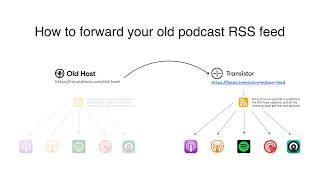
How to Redirect (Forward) Your Old Podcast RSS Feed When Switching Hosts
22 views

The history of video podcasts (Steve Jobs and Apple Podcasts) #videopodcast
1.2K views

How to Get Your Podcast on Spotify, Apple, YouTube & More (2026)
674 views

Create member-only podcasts with Ghost CMS and Transistor.fm
379 views