
NEW Elgato Facecam Mk. 2 Review: Mastering Camera Hub
🛍️ Products Mentioned (4)

The Elgato Facecam MK.2 settings guide and real-world review. This video breaks down Elgato Camera Hub, factory default vs custom settings, 1080p60 setup, shutter speed (180-degree rule), ISO, white balance, HDR, noise reduction, and lighting tweaks to get the best image quality possible from the Facecam MK.2. I walk through every major Camera Hub setting, show how the webcam looks out of the box, and explain the exact adjustments I use for YouTube recording, livestreaming, Zoom, Teams, and OBS. I also cover current Windows vs Mac performance, including a flickering issue I experienced on macOS. 🛒 Products mentioned in this video: Elgato Facecam MK.2 👉 https://amzlink.to/az0kirj5sgDrl Elgato Camera Hub software 👉 https://www.elgato.com/downloads Amaran 60D (key light used) 👉 https://amzlink.to/az0NbvBx8P3Bv 🎥 Related videos you might like: 📦 Elgato Facecam MK.2 Full Unboxing & Physical Walkthrough 👉 https://youtu.be/bCpCJgb6mi0 🎥 My YouTube Gear & Desk Setup: https://www.amazon.com/shop/impressivetony/list/2ZVTWBHWDLDH8?ref_=aipsflist (Everything I actually use to film and edit my videos) ⏱ Chapters: 00:00 Elgato Facecam MK.2 overview 00:56 Elgato Camera Hub software 01:17 Restoring factory default settings 01:31 Out-of-the-box image quality 01:37 1080p60 vs 4K webcams 01:57 Camera Hub interface breakdown 02:15 Effects, backgrounds & Elgato Prompter 02:44 Preview, resolution & grid options 03:31 Firmware updates & saving presets 04:07 Framing, zoom & presets 04:32 Contrast, saturation & sharpness 05:11 Shutter speed & the 180-degree rule 05:55 ISO vs lighting adjustments 06:23 HDR on vs off 07:02 White balance tuning 07:19 Noise reduction & anti-flicker 07:55 Lighting adjustments (Amaran 60D) 08:21 Final recommended settings 08:42 Windows vs Mac performance 09:10 Buying advice & next video 📩 Business inquiries: 📧 tony@thesparetechroom.com Instagram: https://instagram.com/thesparetechroom TikTok: https://www.tiktok.com/@thesparetechroom ⚠️ Disclosure: Some of the links above are affiliate links. If you use them, I may earn a small commission at no extra cost to you. This helps support the channel and lets me keep making videos like this. Thanks for the support 🙏 #ElgatoFaceCam #WebcamSettings #YouTubeSetup #StreamingSetup #CameraHub #FaceCamMk2 #ContentCreator #OBSSetup #ZoomSetup
🎬 More from The Spare Tech Room
ORICO X50 Review: Fanless Thunderbolt 5 SSD Speeds Are INSANE
159 views
You’re Filming With Your Phone Wrong | This Cheap Selfie Monitor Fixes That
365 views
The Best Webcam Under $100? | EMEET C960 Ultra Review
529 views
I Turned My Old Car Into a Smart Car | Ottocast OttoScreen AI Review
1.5K views

The Best $100 Retro Gaming Handheld Right Now | Aya Neo Pocket Air Mini Review
4.3K views
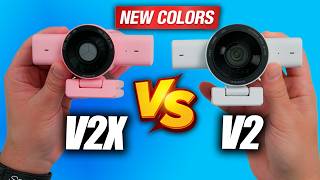
Razer Kiyo V2 & Kiyo V2 X (NEW Colors) — Which Webcam Should You Buy?
422 views