
Knulli Guide for Anbernic Handhelds (2026) – Everything You Need!
🛍️ Products Mentioned (9)
Anbernic RG35XXH
256GB microSD card
microSD card reader
7-Zip (Windows)
Knulli (Windows)
Rufus (Windows)
ScreenScraper
RetroAchievements
My YouTube Gear & Desk Setup
Today I’m setting up an Anbernic RG35XXH with KNULLI (Gladiator II) — the latest 2026 emulation setup that makes retro gaming simple. I walk through flashing the SD card, adding games, and dialing in the best settings step by step. 🛒 Products & Links mentioned in this video: • Anbernic RG35XXH – https://geni.us/cXj8N9q • 256GB microSD card – https://geni.us/HAAaw • microSD card reader – https://geni.us/TxLuy • 7-Zip (Windows) – https://7-zip.org/ • Knulli (Windows) – https://github.com/knulli-cfw/distribution/releases • Rufus (Windows) – https://rufus.ie/ • ScreenScraper – https://www.screenscraper.fr/ • RetroAchievements – https://retroachievements.org/ 🎥 Related videos you might like: • Fastest SD Card Reader Test (yes, I’m that nerd) – https://youtu.be/Z56bQxtpwWo • Emulation playlist: Retro Handhelds + Setup Guides – https://www.youtube.com/playlist?list=PLvnT-GBjI7jfdzgncHUyEkK9Xd4_dZlES 🎥 My YouTube Gear & Desk Setup: https://geni.us/c9jNW3Q (Everything I actually use to film and edit my videos) ⏱ Chapters: 00:00 Setting up a retro handheld for my nephew 00:22 What we’re using (Anbernic RG35XXH + KNULLI Gladiator II) 02:06 What you need (handheld, SD card, reader, PC) 04:09 Download KNULLI + extract files (7-Zip) 05:27 Flash the microSD card (Rufus) 07:06 First boot on the handheld (create folders) 08:03 Add BIOS files (what they do + where they go) 09:30 Add ROMs / games (this is the long part) 11:17 First boot with games loaded 11:26 Must-do settings (turn off menu music) 11:48 RetroAchievements setup 12:47 Save states + quick resume 13:28 Hotkeys setup (fast forward / save / load / menu) 15:19 Clean up your menus (hide unused systems) 17:07 Wi-Fi setup 17:26 Scraping box art + media (ScreenScraper) 18:55 What the finished setup looks like 20:03 PS1 tip: enhanced rendering + emulator swaps 20:27 Wrap up + what’s next 📩 Business inquiries: 📧 tony@thesparetechroom.com Instagram: https://instagram.com/thesparetechroom TikTok: https://www.tiktok.com/@thesparetechroom ⚠️ Disclosure: Some of the links above are affiliate links. If you use them, I may earn a small commission at no extra cost to you. This helps support the channel and lets me keep making videos like this. Thanks for the support 🙏 #Knulli #Anbernic #RG35XXH #RetroGaming #Emulation #RetroHandheld #GameBoy #PS1 #N64 #KnulliGladiatorII #SetupGuide
🎬 More from The Spare Tech Room
ORICO X50 Review: Fanless Thunderbolt 5 SSD Speeds Are INSANE
159 views
You’re Filming With Your Phone Wrong | This Cheap Selfie Monitor Fixes That
365 views

The Best Webcam Under $100? | EMEET C960 Ultra Review
529 views
I Turned My Old Car Into a Smart Car | Ottocast OttoScreen AI Review
1.5K views
The Best $100 Retro Gaming Handheld Right Now | Aya Neo Pocket Air Mini Review
4.3K views
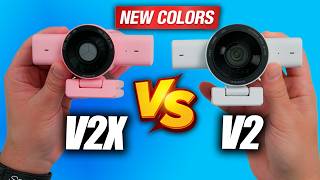
Razer Kiyo V2 & Kiyo V2 X (NEW Colors) — Which Webcam Should You Buy?
422 views