
Fifine Genie Setup Guide: Is It Actually Worth It?
🛍️ Products Mentioned (4)
In this video, I walk through Fifine Genie, Fifine’s official software for customizing their keyboards, microphones, and other gear. This setup guide covers what Fifine Genie does, how to use it, and whether it’s actually worth installing if you already own Fifine products. 🛒 Links mentioned in this video: • Fifine Genie Software – https://fifinemicrophone.com/pages/fifine-genie-software?srsltid=AfmBOooW4qZ7OavexDDxoWADvt2yWR55NnZba-4bTEPnDjsmC1YqrwVa • Fifine SC8 – https://geni.us/Z73Gf • Fifine AM*PROT – https://geni.us/KpMiT 🎥 Related videos you might like: • AM8PROT & SC8 Review – https://youtu.be/FB8JC8lmpjg • Fifine Playlist – https://www.youtube.com/playlist?list=PLvnT-GBjI7jcP2LsCKDa0IydHWKERFAU2 🎥 My YouTube Gear & Desk Setup: https://geni.us/c9jNW3Q (Everything I actually use to film and edit my videos) ⏱ Chapters: 00:00 📩 Business inquiries: 📧 tony@thesparetechroom.com Instagram: https://instagram.com/thesparetechroom TikTok: https://www.tiktok.com/@thesparetechroom ⚠️ Disclosure: Some of the links above are affiliate links. If you use them, I may earn a small commission at no extra cost to you. This helps support the channel and lets me keep making videos like this. Thanks for the support 🙏 #FiFineGenie #FiFineSoftware
🎬 More from The Spare Tech Room
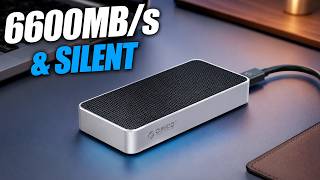
ORICO X50 Review: Fanless Thunderbolt 5 SSD Speeds Are INSANE
159 views

You’re Filming With Your Phone Wrong | This Cheap Selfie Monitor Fixes That
365 views
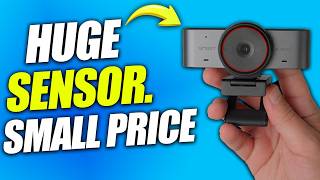
The Best Webcam Under $100? | EMEET C960 Ultra Review
529 views
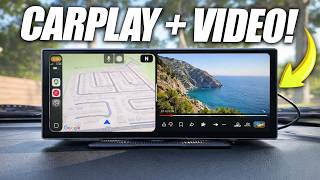
I Turned My Old Car Into a Smart Car | Ottocast OttoScreen AI Review
1.5K views

The Best $100 Retro Gaming Handheld Right Now | Aya Neo Pocket Air Mini Review
4.3K views
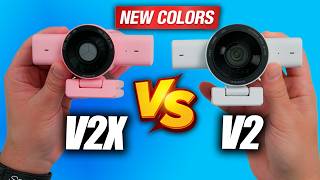
Razer Kiyo V2 & Kiyo V2 X (NEW Colors) — Which Webcam Should You Buy?
422 views