
Adobe Audition Headphones Not Working - Solved Not Switching to Headphones or Speakers Automatically
🛍️ Products Mentioned (10)
Canon EOS M6
Canon EF-M 22mm f/2 Lens
Tokina 11-16mm Wide Angle Lens
Fotodiox EF to EOS M Lens Adapter
Comica CVM-WM300A Wireless Microphones
Aputure Amaran AL528W LED Light
Kamerar SD-1 Camera Slider
AVermedia HDMI Game Capture Module
Western Digital 4TB Drive
USB 3.0 Hard Drive Cable
Adobe Audition Headphones Not Working - Solved Not Switching to Headphones or Speakers Automatically Western Digital 4TB Drive: https://amzn.to/3zo75Qt USB 3.0 Hard Drive Cable: https://amzn.to/2WBrAe4 I use Adobe Audition on a regular basis, but after I had it installed it on my new Windows laptop, I found I couldn't get it to switch between the speakers and headphones with the headphone plug. As you'd expect, the audio output should switch automatically to headphones when the headphones are plugged in. And the interesting thing is that everything else on the computer, such as YouTube sends the audio to headphones or speakers depending on whether the headphones are plugged in. I've searched online and none of the solutions I found make Audition switch to headphones and back automatically. And here's what's interesting! The problem isn't necessarily caused by Audition like a lot of people are saying. So if you want Adobe Audition to automatically switch to headphones when they're plugged in keep watching. And before proceeding, have a set of headphones plugged into the computer. So this headphone problem in Audition is actually caused by a Windows setting. And the first thing to do is type Sound Settings in the Windows search bar. Then click on the Sound Settings button at the top. In the sound output section I want Speakers Realtek Audio selected in the dropdown box. That's because I'll set the speaker settings first by clicking on Device Properties. On the next screen click on Additional Device Properties on the far right. On the next pop up window click on the Advanced tab. And here is where Windows is causing the Adobe Audition headphone problem. All I have to do is uncheck the two boxes in the Exclusive Mode section. This is where Windows gives individual applications like Audition dedicated control of the audio output. When these boxes are checked, I have to manually tell Audition where the audio will output to. So uncheck both of these, hit Apply and then hit OK. Now I need to go back to Sound Settings. And this time I'm going to select Headphones Realtek Audio in the output menu. If you don't have headphones plugged in, this option won't show up. And just like before I'll click on Device Properties and then click on Additional Device Properties on the next screen. In the Headphone Properties window, click on the Advanced tab. And once again, uncheck the two boxes in the Exclusive Mode section. Then apply the changes and hit OK. I'm almost done but there's one more setting I need to change in Audition. Here click on Edit in the top menu. And then expand the Preferences list. Now click on Audio Hardware. In the Default Output list, switch it to System Default if it isn't already selected. And then confirm the changes. Finally click OK. By applying these settings, it'll fix the Adobe Audition headphones not working problem. Now when I plug in my headphones, audio goes to the headphones. And when I unplug the headphones, the audio will switch back to the speakers just like I want it to. If this video was helpful please give me a thumbs up and hit the subscribe button to stay up to date on all my weekly videos! Disclaimer: As an Amazon Associate I earn from qualifying purchases. ****Equipment I Use For My Videos**** Canon EOS M6: https://amzn.to/2pwQ0Vq Canon EF-M 22mm f/2 Lens: https://amzn.to/31mLfLq Tokina 11-16mm Wide Angle Lens: https://amzn.to/33TFaYH Fotodiox EF to EOS M Lens Adapter: https://amzn.to/31u3AGq Comica CVM-WM300A Wireless Microphones: https://amzn.to/31tbiAD Aputure Amaran AL528W LED Light: https://amzn.to/2VRuwyK Kamerar SD-1 Camera Slider: https://amzn.to/2VUB5Ax AVermedia HDMI Game Capture Module: https://amzn.to/31phsSp
🎬 More from TheRenderQ
How to Share YouTube TV with Family & Friends (Up to 5 People)
2.9K views
Joyroom Podix 140W Charger Review | Charge 5 Devices Fast with GaN Power
541 views
SoundPeats Clip1 Review | Open-Ear Clip-On Earbuds Under $100
527 views
HoverAir X1 ProMax FAQ | How It Works, Tips & Beginner Questions Answered
756 views
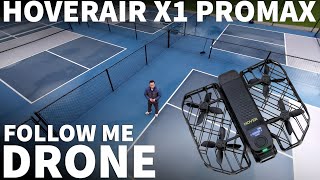
HoverAir X1 ProMax | 8K Drone That Follows You (No Controller Needed)
3.8K views

Monument Grills Denali 425 Review + Teriyaki Chicken Cook Test | Powerful Affordable Feature-Packed
681 views