
HoverAir X1 ProMax FAQ | How It Works, Tips & Beginner Questions Answered
🛍️ Products Mentioned (9)
Costco here
Canon EOS M6
Canon EF-M 22mm f/2 Lens
Tokina 11-16mm Wide Angle Lens
Fotodiox EF to EOS M Lens Adapter
Comica CVM-WM300A Wireless Microphones
Aputure Amaran AL528W LED Light
Kamerar SD-1 Camera Slider
AVermedia HDMI Game Capture Module
Currently $200 OFF at Costco online ONLY (1/6/26 through 1/25/26) Buy it from Costco here: https://www.costco.com/p/-/hoverair-x1-promax-8k-self-flying-camera-bundle/4000362178?langId=-1 HoverAir X1 ProMax FAQ | How It Works, Tips & Beginner Questions Answered Thinking about buying the HoverAir X1 ProMax — or already learning how to use it? This video answers the most commonly asked questions about the X1 ProMax so you can understand how it works and feel confident flying it right away. In this FAQ-style guide, I break down everything you need to know, including launching and landing, automatic flight modes, video recording, storage options, and app features. Whether you’re a first-time drone owner or just getting started with the X1 ProMax, this video is designed to make things simple, clear, and stress-free. 🎥 What This Video Covers ✔ How to launch and land the HoverAir X1 ProMax ✔ Pre-programmed flight modes vs. continuous modes ✔ Follow and Dolly Track behavior explained ✔ Automatic video recording (no buttons required) ✔ Built-in storage vs microSD card setup ✔ How to switch storage settings in the app ✔ Viewing and downloading clips to your phone ✔ Manual flight mode and range options ✔ How to turn off voice prompts ✔ Where to buy the HoverAir X1 ProMax (including Costco bundle info) Why the HoverAir X1 ProMax Is So Easy to Use? The HoverAir X1 ProMax is a self-flying drone that requires no controller, making it perfect for beginners. It launches from your hand, follows you automatically, and handles video recording on its own — so you can focus on getting great shots instead of learning complicated controls. Where to Buy? You can order the HoverAir X1 ProMax directly from the HoverAir website, or pick one up at Costco, which carries the combo kit that includes an extra battery, dual battery charger, and a 65-watt fast-charging power adapter. 👉 I’ve listed all the links in the description below for easy access. 👍 If this video helped answer your questions, please give it a thumbs up and subscribe for more tech tips, reviews, and beginner-friendly guides. #HoverAirX1ProMax #SelfFlyingDrone #BeginnerDrone #FollowMeDrone #DroneTips Disclaimer: As an Amazon Associate I earn from qualifying purchases. ****Equipment I Use For My Videos**** Canon EOS M6: https://amzn.to/2pwQ0Vq Canon EF-M 22mm f/2 Lens: https://amzn.to/31mLfLq Tokina 11-16mm Wide Angle Lens: https://amzn.to/33TFaYH Fotodiox EF to EOS M Lens Adapter: https://amzn.to/31u3AGq Comica CVM-WM300A Wireless Microphones: https://amzn.to/31tbiAD Aputure Amaran AL528W LED Light: https://amzn.to/2VRuwyK Kamerar SD-1 Camera Slider: https://amzn.to/2VUB5Ax AVermedia HDMI Game Capture Module: https://amzn.to/31phsSp
🎬 More from TheRenderQ
How to Share YouTube TV with Family & Friends (Up to 5 People)
2.9K views
Joyroom Podix 140W Charger Review | Charge 5 Devices Fast with GaN Power
541 views

SoundPeats Clip1 Review | Open-Ear Clip-On Earbuds Under $100
527 views
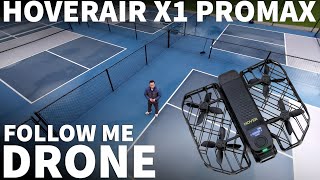
HoverAir X1 ProMax | 8K Drone That Follows You (No Controller Needed)
3.8K views

Monument Grills Denali 425 Review + Teriyaki Chicken Cook Test | Powerful Affordable Feature-Packed
681 views

Monument Grills Denali 425 Assembly Instructions (Step-by-Step Video Guide)
1.2K views