
LLANO A580 Wireless Video Transmitter Review – Record & Mirror to Any Screen Without Cables
🛍️ Products Mentioned (1)
The product will officially launch on Kickstarter at 8:00 PM Beijing time on March 9: https://www.kickstarter.com/projects/llanovoltcase/1362910673/?ref=bdfn4b&token=502afe29 Running long HDMI cables for screen mirroring or video transmission can be inconvenient, especially during presentations, streaming, or content creation. The LLANO A580 Video Transmission device is designed to solve this problem with a simple wireless solution. In this video, we test the LLANO A580 Record & Mirror Wirelessly system, a plug-and-play device that allows you to transmit video from a laptop, phone, or tablet directly to a larger display without cables. With its USB-C transmitter and HDMI receiver, you can mirror your screen instantly and record or stream content with minimal setup. This gadget is especially useful for content creators, streamers, gamers, presenters, and educators who need a quick and reliable way to display content on TVs, monitors, or projectors. In this video you will see: • Unboxing and first look • Setup and connection process • Wireless transmission test • Real-world performance and latency • Final verdict If you are searching for a compact wireless video transmission solution, the LLANO A580 could be a very practical gadget for streaming, presentations, and content creation. 👍 If you found this review helpful, make sure to like, comment, and subscribe for more tech gadget reviews. #llano #a580 #videotransmitter #wirelessstreaming #screenmirroring #contentcreator #streaminggear #techgadgets #wirelessdisplay #creatorgear For Business Inquiry: decentflex@gmail.com
About This Video
Frequently Asked Questions
🎬 More from Tech Talk Tech
Say Goodbye to Moisture! Avylo Dehumidifier Unboxing & Performance Test
20.4K views

Top 3 Best Smart Toilet 2026 - Which One You Should Buy?
30.3K views
Can the BUGANi Brief TT Beat All Bluetooth Speakers Under $100?
21.5K views
Android Unlock|How to FRP Bypass Google Account on Android 16 Devices
21.7K views
Awesun Remote Desktop Software Review X Baseus 140w Charging Station
24.1K views
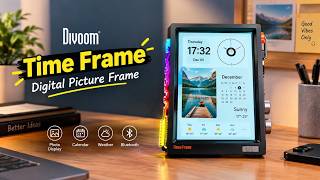
Divoom Time Frame Digital Picture Frame – The Smart Display Every Desk Needs!
90.2K views