
I Tested Windows 11 25H2 — Here’s What Went Wrong
🛍️ Products Mentioned (1)
Windows 11 25H2 just rolled out — and it’s already breaking PCs. From File Explorer’s flashbang bug to massive gaming performance drops and apps refusing to open, users are struggling across the board. In this video, I break down every confirmed issue with Windows 11 25H2 — what’s fixed, what’s still broken, and what you can actually do about it. ⚡ Topics Covered: File Explorer dark mode flash Task Manager zombie processes Gaming FPS drops (KB5066835) App connection failures Update installation errors 💡 Fixes & Workarounds: Nvidia hotfix driver 581.94 Avoid KB5070311 preview update Roll back to 24H2 safely Pause updates for 5 weeks (Pro users) 👉 Subscribe for future updates — I’ll be tracking new fixes and reporting Microsoft’s progress in real time. #Windows11 #WindowsUpdate #TechNews #SysHack #Microsoft #Windows11Problems #Windows11Bugs #25H2Update #Windows11Fixes #GamingPerformance If you care about data protection, AI transparency, and digital privacy, this guide is a must-watch. Your support helps keep this channel going 🙌 Instagram:syshack2 For Business:samwelmonda48@gmail.com discord:https://discord.gg/MzUd6TUuWT 🔒 Stay private. Stay smart. Control your Windows 11.
About This Video
Frequently Asked Questions
🎬 More from SysHack

Samsung's New Browser Does Something Chrome Can't...
574 views

How to stop windows from using your bandwidth and Why
1.9K views

Is Your Pc Really Private?
3.7K views
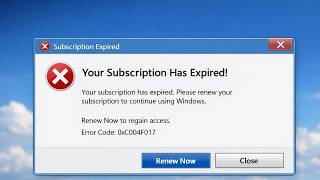
The subscription model Will Be a disaster
4.9K views

This Why Linux is The Best Officially Shiffting
2.8K views

How Safe is Bitlocker really encrypted
2.1K views