
Complete Guide to Windows 11 Privacy Settings - Disable Activity Tracking
😱 Is Windows 11 spying on you? In this video, I reveal the shocking privacy settings that allow Windows 11 to record your activity, track your data, and send it back to Microsoft—and show you how to disable them ALL in minutes. 🔴 LIVE Stream Recording: This was a live deep-dive into Windows 11 privacy. 📥 DOWNLOAD THE PRIVACY SCRIPT: Get the batch file I use in the video to automate these fixes! ⏰ TIMESTAMPS / CHAPTERS: The Shocking Truth About Windows 11 Setting #1: Telemetry & Data Collection Setting #2: Disable Advertising ID Setting #3: Stop Location Tracking Setting #4: Activity History & Timeline Setting #5: Cortana & Speech Data BONUS: Advanced Registry Fixes Using the Batch File (Automated Fix) What These Changes Actually Do Final Privacy Check 🛡️ WHAT WE DISABLE IN THIS VIDEO: • Diagnostic Data & Telemetry (Windows tracking your usage) • Advertising ID (Personalized ads based on your data) • Location Tracking (Windows knowing where you are) • Activity History & Timeline (What apps/files you use) • Speech & Typing Data Collection (Keylogger-like features) • Background App Access (Apps running without your knowledge) • Wi-Fi Sense & Hotspot Sharing (Automatic network sharing) 📁 DOWNLOADS & RESOURCES: • Privacy Hardening Batch File: [Insert Your GitHub/GDrive Link Here] • O&O ShutUp10++ (Alternative Tool): [Link] • Winaero Tweaker (Advanced Settings): [Link] ⚠️ DISCLAIMER: This is for educational purposes. Some changes may affect Windows functionality. Always create a system restore point before modifying system settings. 🔐 IMPORTANT DISCLAIMER: This video is for educational and privacy-conscious users. I am not responsible for any system instability that may occur after applying these changes. Always: Backup your important data Create a system restore point Understand that some Windows features may stop working Consult with IT professionals if using a work/managed device 📈 WHY THIS MATTERS IN 2024: With increasing concerns about digital privacy and data collection, taking control of your Windows 11 privacy settings is more important than ever. Whether you're a gamer, streamer, or just a privacy-conscious user, these changes will help you: • Reduce Microsoft data collection • Minimize targeted advertising • Increase your overall digital privacy • Take control of your operating system 💬 JOIN THE DISCUSSION: What other Windows privacy concerns do you have? Did you notice any performance differences after applying these changes? Let me know in the comments below! 🔔 SUBSCRIBE FOR MORE TECH PRIVACY TIPS: If you found this video helpful, smash that like button and subscribe for more content about: • Windows optimization guides • Privacy & security tutorials • Gaming performance tweaks • Livestream tech deep-dives
🎬 More from SysHack

Samsung's New Browser Does Something Chrome Can't...
574 views

How to stop windows from using your bandwidth and Why
1.9K views

Is Your Pc Really Private?
3.7K views
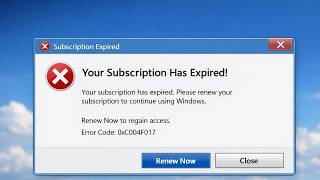
The subscription model Will Be a disaster
4.9K views

This Why Linux is The Best Officially Shiffting
2.8K views

How Safe is Bitlocker really encrypted
2.1K views