Vigyata.AI
Is this your channel?

StreamFix Live Stream

10 views· 1 likes· 6:57· Jan 2, 2026

Subscribe: shorturl.at/yADQU 👉 Help ❤JOIN NETFLIX❤ Reach Goal of 10000 Subscribers!! 💖TankQ💖 any copyright issue please contact by email:joinnetflixssn@gmail.com Music Credit: YouTube Music Library

About This Video

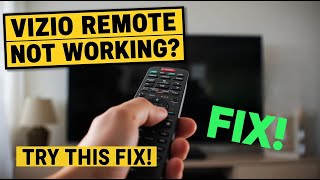
In this StreamFix Live Stream, I walk you through the exact no-drama checklist I use when a Vizio remote stops responding. First, I start with batteries—but do it properly. Don’t just swap them and hope. I pull the batteries, then press and hold the remote’s power button for 10–15 seconds to drain leftover power stuck in the remote’s tiny circuit. Then I install fresh alkaline batteries (not rechargeable). You’d be surprised how often that alone brings a “dead” remote back. Next, I cover the stuff people miss: your remote is using infrared, so if the TV’s sensor area is blocked by dust, decor, a soundbar, or even sunlight, the signal basically dies. Clean the front of the TV, make sure you’ve got a clear line of sight, and test from about 6–10 feet away. After that, I power cycle the TV the right way: unplug it for a full 60 seconds (not 10, not 20), hold the TV’s power button for 10 seconds while it’s unplugged, then plug it back in to clear memory and pairing glitches. If you’re still stuck, I show how the Vizio SmartCast app can confirm whether the TV is fine, and for Bluetooth/voice remotes I go through the pairing path (Menu > System > Remote and Devices > Pair Remote). Bonus: sticky buttons—compressed air and a quick wipe can instantly bring buttons back to life.

Frequently Asked Questions

🎬 More from StreamFix