
The QR Code Problem Every YouTuber Has (And How We Fixed It)
🛍️ Products Mentioned (5)
FREE AI GUIDE To Fast Track Your Video Editing
** GEAR WE USE *
Stay current on video tools and AI. Ask JustinAI for instant answers, access extended tutorials, monthly AMAs, and ready-made workflows
Go Product
Video Stats
QR codes in YouTube videos seem like a great idea. Point viewers to a product, a signup page, an affiliate link. But most creators have no idea if anyone actually scans them. And once the video is live, you're locked in. If that link breaks, the product changes, or you find a better offer, the QR code in your video is stuck pointing to the wrong place forever. ▶ Video Stats: https://go.primalvideo.com/eqnhGcu?utm_content=6ICrlwOUfDc (When available, we use affiliate links and may earn a commission!) 🤖 FREE AI GUIDE To Fast Track Your Video Editing: ▶ https://go.primalvideo.com/eXbqlhZ?utm_content=6ICrlwOUfDc Timestamps: 00:00 The QR Code Problem Every YouTuber Has (And How We Fixed It) 00:40 Why you should use dynamic video QR codes 02:20 How to create a QR code in Video Stats 04:12 Best QR code generator to redirect scan links 04:53 QR code marketing and link tracking analytics 06:00 Using AI to improve your content strategy GEAR WE USE https://go.primalvideo.com/mlWf5RV?utm_content=6ICrlwOUfDc Unlock more with Primal Video PLUS Stay current on video tools and AI. Ask JustinAI for instant answers, access extended tutorials, monthly AMAs, and ready-made workflows → https://go.primalvideo.com/mPYz9fW?utm_content=6ICrlwOUfDc -- Subscribe to receive the latest updates and news from Primal Video: https://go.primalvideo.com/Yb3EsuN?utm_content=6ICrlwOUfDc *The QR Code Problem Every YouTuber Has (And How We Fixed It)* The use case for QR codes is also bigger than most creators realise. YouTube viewership on TVs has overtaken Netflix, which means more people are watching your videos on a screen where they can't click a link. But even if your audience isn't watching on a TV, think about how many people watch on a computer or laptop with their phone sitting right next to them. In this video I'll show you how we add QR codes to our videos where the destination can be changed at any time, even after the video is published. Every scan is fully tracked so you know exactly how many people used it, from which video, and what they did next. I'll also cover a setup trick that lets the QR code work before the video is even published. Related Content - How to Build an Email List FAST (Automated List Building Strategies!): https://www.youtube.com/watch?v=0e9yjOyvFCE - Best Email Marketing & Automation Software!: https://www.youtube.com/watch?v=qQCEExSyIjw - Affiliate Marketing For Beginners - The 5 Tools That 5X'd Our Revenue!: https://www.youtube.com/watch?v=dvESHa_v3_Y - How to Find Music for Videos (Choosing the RIGHT Music!): https://www.youtube.com/watch?v=6orBjkeJHX4 DISCLOSURE: We often review or link to products & services we regularly use and think you might find helpful. Wherever possible we use referral links, which means if you click one of the links in this video or description and make a purchase we may receive a small commission or other compensation. We're big fans of Amazon, and many of our links to products/gear are links to those products on Amazon. We are a participant in the Amazon Services LLC Associates Program, an affiliate advertising program designed to provide a means for us to earn fees by linking to Amazon.com and related sites.
About This Video
Frequently Asked Questions
🎬 More from Justin Brown - Primal Video
Best Video Editing App 2026 - FREE & No Watermark (iPhone & Android)
2.0K views

Best Free Video Editing Software for PC & Mac in 2026 (No Watermark)
8.5K views
Best Video Editing Software for Windows 2026
4.8K views
Best Video Editing Software for Mac 2026
6.5K views
How I Actually Decide Which Videos to Make
2.2K views
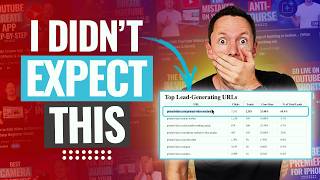
I Tracked Every Link on My Channel for 90 Days Here's What Surprised Me.
1.6K views