
How To Set Up Apple Homekit ✅ WITHOUT PROBLEMS
🛍️ Products Mentioned (1)

On this video i will show you how to set up Apple Homekit without problems and always working fine. Smart home devices no matter if you choose affordable or expensive ones like Nanoleaf when you get started if you are not making the right automation, setup things properly you will eventually have a home that is not working fine, maybe your lights in the bathroom are not working anymore and you fill lost you saw all the tutorial available on youtube but your Smarthome is not so mart and all this is getting you crazy because your ecosystem is not working as it should. on this video on how to set up apple HomeKit i will be covering not only how to set it up but also how to set up your wifi system for success. Is not just turning on your hub even positioning which mesh wifi is connected to makes a big difference. And you dont need an expensive homepod or apple TV I have mine connected to my homepod mini 2 and after i follow all this steps never had issues with my home anymore ******************* ⬇️ DISCOUNTS and MERCH ⬇️ ******************* 👕 MADpack MERCH: https://madpack.creator-spring.com/ ***************************** ⬇️⬇️⬇️ CONTACT ME ⬇️⬇️⬇️ ***************************** For Business queries: ➡️ madpack.reviews@gmail.com 🌈 Instagram: https://www.instagram.com/madpack.reviews/ ******************************************* *** ALL LINKS ARE AFFILIATE LINKS #MADpack
About This Video
Frequently Asked Questions
🎬 More from MADpack
Nanoleaf 4d V2 (Second Generation) - Not what I thought!
762 views

Nanoleaf Rope Light Review - Is it GOOD?
297 views
LED Rope Light Vs Strip Light - Which should I BUY?
750 views
Best Homekit Thermostat - Eve Thermo Review
317 views
Govee T3 Pro ❌ Don't Buy before seeing this!
1.6K views
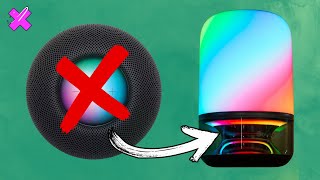
Govee Table Lamp 2 Pro Review - HomePod mini Killer⁉️
808 views