
Refactoring Laravel Blade Components | Eliminate Duplicate Scripts & Styles
🛍️ Products Mentioned (3)
In this video, I walk through how I refactored a Laravel Blade component to eliminate duplicate script and link tags using the powerful once and pushOnce directives. I start by showing the original code, where each usage of a Blade component like date-picker included the same scripts and styles multiple times in the rendered HTML — which is bad for performance and readability. Then, I show how to cleanly refactor it using pushOnce, making sure the styles and scripts are included only once, no matter how many times the component is used. You'll also see how I update the layout file to render these pushed assets using stack. Whether you're building reusable components or just want cleaner Blade templates, this is a must-know technique! === OFFER === GET 15% DISCOUNT ON ALL PLANS OF CLOUDWAYS HOSTING FOR 3 MONTHS https://bit.ly/3SovJvg === Important Links === Fonts, extensions I use, and Support Laratips links: https://bit.ly/m/laratips === Video Related Links === Documentation link: https://laravel.com/docs/12.x/blade#the-once-directive #laravel #php #laraveltip #laratips
About This Video
Frequently Asked Questions
🎬 More from Laratips
Laravel Performance Hack: Process Huge CSVs 3500x Faster!
2.6K views
Episode 6 - Laravel Deploys Made Safe - Staging First Workflow
299 views

Weekly Laravel Updates - Episode 4
187 views
Episode 5 - Making Reminder Emails Faster - Queue Processing with Supervisor
279 views
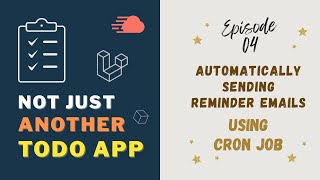
Episode 4 - Automatically Sending Reminder Emails - Cron Jobs
538 views

Weekly Laravel Updates - Episode 3
165 views