
Episode 4 - Automatically Sending Reminder Emails - Cron Jobs
🛍️ Products Mentioned (5)
15% DISCOUNT ON ALL PLANS OF CLOUDWAYS HOSTING FOR 3 MONTHS
Fonts, extensions I use, and Support Laratips links

Laravel Documentation for sending Mail

Laravel Documentation for Task Scheduling

Project GitHub Link
In this video, we create a send-reminder-mail command in Laravel 12 to email users about their pending tasks. We schedule it using the new routes/console.php feature and run it daily with a Cloudways cron job. 💡 Powered by Cloudways – Managed Web Hosting for the Ultimate Online Presence === OFFER === GET 15% DISCOUNT ON ALL PLANS OF CLOUDWAYS HOSTING FOR 3 MONTHS https://bit.ly/43wmhuW === Important Links === Fonts, extensions I use, and Support Laratips links: https://unified.cloudways.com/signup?id=1029148&coupon=LARATIPS&data1=LARA5&utm_content=LARA5&utm_source=YouTube === Video Related Links === 👉 Project GitHub Link https://github.com/AshishDhamalaAD/todoapp 👉 Watch the full playlist: Not Just Another Todo App https://www.youtube.com/playlist?list=PL2DahmvUpeutVEyDcVzAMVH7NLSNy6lrS 👉 Laravel Documentation for sending Mail https://laravel.com/docs/12.x/mail 👉 Laravel Documentation for Task Scheduling https://laravel.com/docs/12.x/scheduling #laravel #php #laraveltip #laratips
About This Video
Frequently Asked Questions
🎬 More from Laratips

Laravel Performance Hack: Process Huge CSVs 3500x Faster!
2.6K views
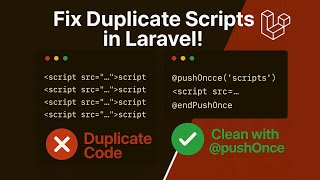
Refactoring Laravel Blade Components | Eliminate Duplicate Scripts & Styles
591 views
Episode 6 - Laravel Deploys Made Safe - Staging First Workflow
299 views

Weekly Laravel Updates - Episode 4
187 views
Episode 5 - Making Reminder Emails Faster - Queue Processing with Supervisor
279 views

Weekly Laravel Updates - Episode 3
165 views