
Why Illustrator is better than Photoshop for Landscape Design Site Plan
🛍️ Products Mentioned (1)
Illustrator has a key advantage over Photoshop in that you can edit tree paths anytime without the need to delete and redraw. Additionally, swapping out trees is a breeze – just click on a different tree in the brush library. Illustrator simplifies the process for swift design changes. 25 Vector top view trees, 25 tree brushes in Illustrator, and source file in the tutorial: https://landscapearchitecture.store/products/tree-top-view-vector-tree-brushes Vector Bundle & Get 15% OFF! https://landscapearchitecture.store/products/tree-top-view-vector-tree-brushes Vector Landscape Architecture Section in Illustration: https://youtu.be/m-CcbMuZA00?si=9G3QhRSOety3c5a_ Minimalist Landscape Architecture Rendering https://youtu.be/grCjeT2Zflg?si=MOC87Cj6TCDBhsfE Rendering tutorials in Photoshop Playlist: https://www.youtube.com/playlist?list=PLVFzw6ry9N36uAbNk2UXeI_W5BvB-VKza Instagram: https://www.instagram.com/landspace.arch Facebook: https://www.facebook.com/landspacearch Follow our Pinterest for more inspiration: https://www.pinterest.com/landspacearch/ #landscapedesign #landscapearchitecture #landscapeplan #vectorlandscape #landscapeillustration #siteplan #architectureillustration #architecture #illustrator #illustration
🎬 More from LandSpace Architecture
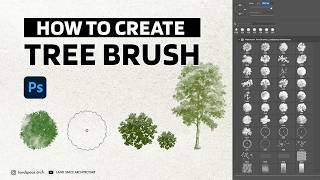
How to Create Tree Brushes for Landscape Design in Photoshop (2026)
1.9K views
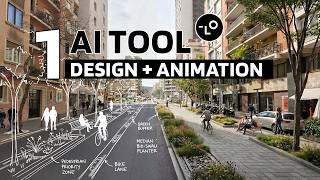
AI Streetscape Animation from One Street View 🤯 | Full Workflow (Sketch to Render)
24.7K views

Urban Context Analysis AI Agent Tutorial
4.1K views

From Zero to Deployed | Vibe Coding an ArchViz Platform
3.6K views
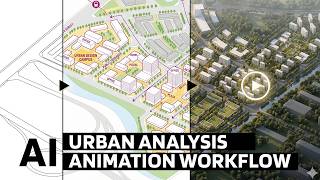
From SketchUp to AI Animation | Urban Analysis Workflow Explained
15.9K views
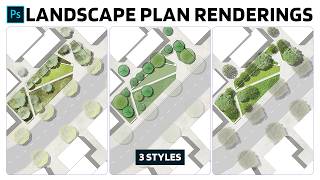
3 Landscape Plan Rendering Styles in Photoshop
4.8K views