
Use Visual Studio Code to Compile and Run Angular App from App Builder
🛍️ Products Mentioned (6)
Learn more about Ignite UI
Explore the tool here
More about our Blazor Data Grid
More about Angular Data Grid in Ignite UI
Angular Hierarchical Grid
Angular TreeGrid
The #AppBuilder from @Infragistics allows you to Compile and Run Angular App from App Builder in Visual Studio Code. You can publish and synchronize your WYSIWYG app builder created apps to #GitHub and then compile and run those apps in your tool of choice, like Visual Studio Code. In this video we'll take a look at how you can create an app in the drag & drop app builder, publish your app to GitHub, then open and run the Angular app in Visual Studio Code. We'll review what gets published to GitHub in the App Builder, we'll make changes to the code and merge changes in GitHub, and we'll see the results in your live, running app. GitHub is a favorite tool for millions of developers for source control, so this App Builder feature allows users to benefit from all GitHub features, such as assigning reviewers, tracking changes, commenting and many more from your apps built with the Infragistics App Builder. Chapters: 0:00 Intro 0:27 Create a New App Builder App from Template 0:58 Publish App to GitHub from WYSIWYG App Builder 2:06 Reviewing Published Code in GitHub from App Builder app 2:39 Clone GitHub Repo in Visual Studio Code 3:18 Install NodeJS Dependencies in Visual Studio Code 3:36 Compile and Review Your App in the Browser 4:03 Make Changes to Source App Builder App 4:26 Create and Merge a GutHub Pull Request 5:31 Review Changes in the Browser 5:50 Ending Learn more about WYSIWYG App Builder™, a brand-new cloud-based drag and drop App Builder tool that eliminates the complexity of user interface design and development so you can build business apps faster than ever before. Start your app from scratch or choose from a library of pre-built app templates or responsive screen layouts and then customize with a toolbox of 60+ UI controls to kick-start your next digital product design! Get more details on the WYSIWYG / drag & drop Angular App Builder and Blazor App Builder at: https://www.infragistics.com/products/appbuilder Don't want a WYSIWYG App Builder? To build better Web apps 80% Faster with hundreds of Angular UI controls and components and Blazor UI Components for every major web framework, including: - Angular - Blazor - ASP.NET Core - ASP.NET MVC - jQuery - React - Web Components https://www.infragistics.com/products/ignite-ui Infragistics delivers the fastest Angular Grids! Our Angular Grid can handle unlimited Angular Table rows and columns of data, while providing access to custom templates and real-time data updates. Featuring an intuitive API for easy theming and branding, you can quickly bind to data with minimal code. If you are build an Angular application, the Ignite UI Angular Grid is the only data presentation solution for your customers! We ship: - Angular Grid : https://www.infragistics.com/products/ignite-ui-angular/angular/components/grid/grid - Angular Hierarchical Grid : https://www.infragistics.com/products/ignite-ui-angular/angular/components/hierarchicalgrid/hierarchical-grid - Angular TreeGrid : https://www.infragistics.com/products/ignite-ui-angular/angular/components/treegrid/tree-grid - Angular Pivot Grid - Angular Spreadsheet Learn More about Angular Grid here: https://www.infragistics.com/products/ignite-ui-angular/angular/components/grid/grid Infragistics ships the fastest Blazor Data Grid / Blazor Table on the market today! The Blazor data grid is a feature-rich with the ability to data bind, cell and row selection, cell and row editing and error validation, column summaries, interactive Outlook-style grouping, Microsoft Excel-style filtering, and virtualized rows and columns so that you can potentially load millions of records. Learn more about the Blazor Data Grid at https://www.infragistics.com/products/ignite-ui-blazor/blazor/components/grids/data-grid #AppBuilder #Blazor #Angular #DesignToCode #Blazor #Angular
🎬 More from Infragistics
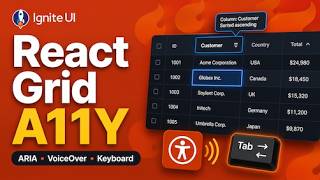
Accessible React Data Grid: ARIA, Screen Readers & Keyboard Navigation
37 views
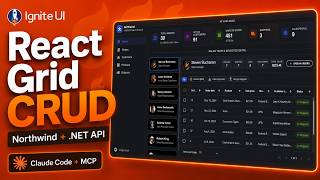
React Data Grid CRUD Tutorial with Ignite UI for React and .NET API
120 views

React Data Grid Tutorial: Ignite UI CLI, Claude Code & MCP
147 views

React Data Grid Tutorial with Claude Code, MCP Servers & Ignite UI
87 views
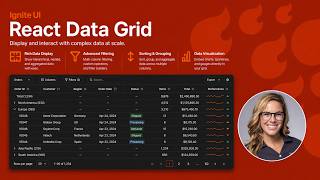
React Data Grid Explained: Features Every Enterprise React App Needs | Ignite UI
62 views
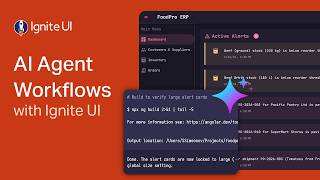
AI Agent Workflows with Ignite UI
141 views