
Accessible React Data Grid: ARIA, Screen Readers & Keyboard Navigation
🛍️ Products Mentioned (6)
Explore the React Data Grid
Ignite UI for React
React Data Grid documentation
Accessibility hub
Ignite UI for React accessibility documentation
React Data Grid keyboard navigation
Learn how accessibility works in the Ignite UI React Data Grid, including ARIA labels, screen reader output, VoiceOver support, keyboard navigation, focus management, filtering, and cell navigation. In this demo, we turn on VoiceOver in Chrome and navigate through an Ignite UI for React grid using the keyboard. You’ll see how the React Data Grid announces column headers, cell values, table structure, row and column context, and filter input behavior. The demo also shows how keyboard shortcuts can open the filter UI, how typing into a filter updates the grid, and how arrow keys move through grid cells while screen reader output follows the selected cell. The goal is to show what developers and accessibility teams should expect from an accessible React Data Grid in a real application. Ignite UI for React emits the ARIA attributes and accessibility metadata needed by screen readers and other assistive technologies, while also supporting keyboard navigation across grid headers, body cells, filters, scrollbars, summaries, and the surrounding page tab order. In this video, you’ll learn how to: - Test React Data Grid accessibility with VoiceOver - Navigate grid cells with keyboard commands - Hear screen reader announcements for column headers and cell values - Use ARIA labels and DOM attributes to support assistive technologies - Open and use grid filtering with keyboard shortcuts - Filter the grid using keyboard-only interaction - Inspect ARIA attributes in Chrome DevTools - Understand how keyboard focus moves through the grid - Evaluate screen reader behavior in an enterprise React grid - Find Ignite UI accessibility and keyboard navigation documentation Explore the React Data Grid: https://www.infragistics.com/react-data-grid Ignite UI for React: https://www.infragistics.com/products/ignite-ui-react React Data Grid documentation: https://www.infragistics.com/products/ignite-ui-react/react/components/grids/data-grid Accessibility hub: https://www.infragistics.com/accessibility Ignite UI for React accessibility documentation: https://www.infragistics.com/products/ignite-ui-react/react/components/interactivity/accessibility-compliance React Data Grid keyboard navigation: https://www.infragistics.com/products/ignite-ui-react/react/components/grids/grid/keyboard-navigation #ReactDataGrid #Accessibility #A11y #ARIA #ScreenReader #KeyboardNavigation #IgniteUI #ReactJS #ReactGrid #WebAccessibility #VoiceOver #FrontendDevelopment Chapters: 0:00 Introduction to React Data Grid accessibility 0:20 Turn on VoiceOver in Chrome 0:40 Navigate into the Ignite UI React Grid 1:00 Screen reader output for column headers 1:25 Navigate grid cells with keyboard commands 1:55 Hear column headers and cell values 2:15 Tab order through the grid 2:35 Open the filter UI with keyboard navigation 2:55 Filter the grid using the keyboard 3:15 Navigate filtered results with arrow keys 3:35 Inspect ARIA attributes in Chrome DevTools 3:50 Accessibility and keyboard navigation docs 4:05 Wrap-up: ARIA labels, screen readers, and Ignite UI
🎬 More from Infragistics
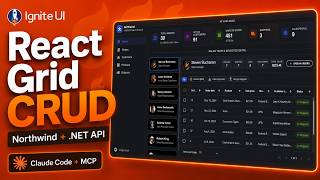
React Data Grid CRUD Tutorial with Ignite UI for React and .NET API
120 views

React Data Grid Tutorial: Ignite UI CLI, Claude Code & MCP
147 views

React Data Grid Tutorial with Claude Code, MCP Servers & Ignite UI
87 views
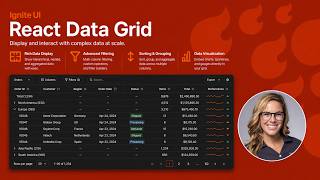
React Data Grid Explained: Features Every Enterprise React App Needs | Ignite UI
62 views

AI Agent Workflows with Ignite UI
141 views

Create a Custom Dark Theme with AI
53 views