
React Data Grid Tutorial: Getting Started with Ignite UI Grid
🛍️ Products Mentioned (3)
Ready to build the fastest React Data Grid on the market? In this demo, we explore two powerful ways to get started with the Ignite UI React Data Grid by Infragistics. Whether you prefer coding with the CLI or using a low-code WYSIWYG interface, we’ve got you covered. First, we dive into the code using the Ignite UI CLI and Visual Studio Code. You'll learn how to fetch data from a REST API, bind it to your grid, and use AI (Agent Mode) to automatically generate column definitions and schemas. We then supercharge the grid by adding essential features like Excel-style filtering, column pinning, sorting, grouping, and a custom Action Strip with minimal code. Next, we switch gears to App Builder, our cloud-based low-code tool. Watch how to recreate the exact same high-performance grid using a drag-and-drop interface. We connect to live data, enable every feature (grouping, hiding, paging) with a single click, apply a Fluent theme, and publish the full production-ready code directly to GitHub. Key Features Covered in This Video: - Virtualization: Handle large datasets with blazing-fast scrolling. - Advanced UI: Cell templates, Sparklines, and Dark/Light theming (Bootstrap, Material, Fluent, Indigo). - Data Analysis: Pivot Grids, Excel-style Filtering, Grouping, and Summaries. - Exporting: Seamless Export to Excel functionality. - Master-Detail: Drill down into rows for deeper data insights. - App Builder Integration: Generate production-ready React code instantly. React Grid Tutorial Chapters: 00:00 – Overview: Ignite UI React Data Grid 00:55 – Exploring Grid Features & Samples 02:15 – Building a React Grid with Ignite UI CLI 05:10 – Enhancing the Grid with Advanced Features 22:40 – No-Code Grid Creation with App Builder 28:00 – Publishing, Deployment & Wrap-Up What is React Data Grid? React Data Grid is a high-performance component that makes it easy to visualize and manipulate data in a tabular format. Designed for speed and flexibility, the React UI Grid supports unlimited rows and columns while giving developers the power to configure layouts, apply custom styling, and extend features with ease. What is Ignite UI for React Data Grid? If you’re looking for a professional-grade React Data Grid, Ignite UI for React provides everything you need: - Quick data binding and flexible column definitions -Sorting, filtering, paging, and selection - Virtualization for handling large data sets - Export to Excel & CSV formats - Custom templates for formatting and interactivity - Modern themes and easy styling options 👇 Useful Resources: Explore the React Library: https://www.infragistics.com/products/ignite-ui-react Learn more about React Grid: https://www.infragistics.com/products/react-data-grid App Builder for React - https://www.appbuilder.dev/react-app-builder #IgniteUI #React #AppBuilder #WebDevelopment #Infragistics #ReactJS #LowCode #DataGrid #SoftwareDevelopment
🎬 More from Infragistics

Accessible React Data Grid: ARIA, Screen Readers & Keyboard Navigation
37 views
React Data Grid CRUD Tutorial with Ignite UI for React and .NET API
120 views
React Data Grid Tutorial: Ignite UI CLI, Claude Code & MCP
147 views

React Data Grid Tutorial with Claude Code, MCP Servers & Ignite UI
87 views
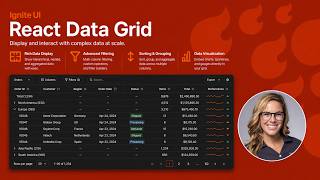
React Data Grid Explained: Features Every Enterprise React App Needs | Ignite UI
62 views

AI Agent Workflows with Ignite UI
141 views