
Create Apps From Sketch
In this video I’ll show you how you can convert your Sketch designs into a web-app with no hand-off required. With this approach, designers can continue to create designs Sketch, or similar vector tools using workflows they are already familiar with. The only requirement is that the designs need to be created using the Indigo.Design UI kit that we’ve created for you. We will review the following steps: - Downloading a Sketch Sample - Modifying a Sketch File - Importing a Sketch File - Converting to a Single Page App Once you have gone through this tutorial, check out the other videos on Indigo.Design app builder, and don’t forget to subscribe to this channel to get updates when we post new videos. #DesignToCode #AppBuilder #AppBuilderSoftware #LowCodeDevelopment
🎬 More from Infragistics

Accessible React Data Grid: ARIA, Screen Readers & Keyboard Navigation
37 views

React Data Grid CRUD Tutorial with Ignite UI for React and .NET API
120 views

React Data Grid Tutorial: Ignite UI CLI, Claude Code & MCP
147 views

React Data Grid Tutorial with Claude Code, MCP Servers & Ignite UI
87 views
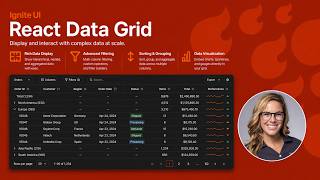
React Data Grid Explained: Features Every Enterprise React App Needs | Ignite UI
62 views

AI Agent Workflows with Ignite UI
141 views