
Create a Custom Dark Theme with AI
🛍️ Products Mentioned (1)
In this demo, we show how Ignite UI’s Theming MCP server can automatically generate a custom application theme using AI. Starting with a simple prompt, the AI analyzes the project, detects the framework configuration, and builds a complete Rose Pine-inspired dark theme for an Angular application. The MCP server inspects the project structure, detects licensed Ignite UI components, reads the design tokens used by each component, and generates the correct palette and styles automatically. Instead of manually editing dozens of styles, developers can create consistent themes across their entire application with just one instruction. In this example, the AI: Explores the project and detects Angular configuration and Sass setup Identifies Ignite UI components and imports the correct theming modules Extracts colors from the Rose Pine design palette Generates a complete palette with all shades Applies styles through CSS variables and design tokens Ensures proper adaptive contrast for accessibility Updates the global stylesheet with minimal changes The result is a fully styled application using a design-system-based approach, without hardcoded styles or manual overrides. Ignite UI’s theming system ensures that themes remain scalable, maintainable, and reusable across projects and frameworks. Learn more about Ignite UI: https://www.infragistics.com/products/ignite-ui #IgniteUI #Angular #WebDevelopment #AI #DesignSystems #FrontendDevelopment #DarkTheme
🎬 More from Infragistics
Accessible React Data Grid: ARIA, Screen Readers & Keyboard Navigation
37 views
React Data Grid CRUD Tutorial with Ignite UI for React and .NET API
120 views
React Data Grid Tutorial: Ignite UI CLI, Claude Code & MCP
147 views

React Data Grid Tutorial with Claude Code, MCP Servers & Ignite UI
87 views
React Data Grid Explained: Features Every Enterprise React App Needs | Ignite UI
62 views
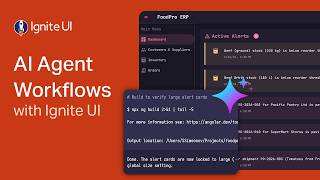
AI Agent Workflows with Ignite UI
141 views