
Code Generation in Visual Studio Code
🛍️ Products Mentioned (2)
For this example, we're going to go ahead and generate this login screen and the welcome screen. You can see here that we have all of the different inputs, usernames, passwords, password signup button, we have the paragraph text, all of this we de...
Indigo.Design is a complete design-to-code system – integrating prototyping, usability testing, and code generation. For more information on how you can simplify user testing, validate usability of designs and prototypes, obtain usability and user...
In this video, we're going to use the Indigo Design code generator plug in for Visual Studio Code to generate pixel-perfect code using the Budget starter app. The first thing that we'll do is we'll take a look at what the starter app actually looks like in Sketch. This is the Sketch file that you can download from Indigo Design app gallery. You'll see that we have a couple screens here. There are several variations of the Budget app. We have this very simplistic two screen option. We've got something that is a phone budget app, and then there's actually a tablet budget app. Any one of those you can work on generating code with. For this example, we're going to go ahead and generate this login screen and the welcome screen. You can see here that we have all of the different inputs, usernames, passwords, password signup button, we have the paragraph text, all of this we designed in previous videos. If you look at the video creating your first art board in Sketch, and then understanding the layout rules for the code generator, you'll get an idea of how to actually create this yourself. It's also in the help documentation, a step by step on how to actually create this page. https://www.infragistics.com/products/indigo-design/help/codegen/vscode-plugin.html Sign up today at http://indigo.design
🎬 More from Infragistics
Accessible React Data Grid: ARIA, Screen Readers & Keyboard Navigation
37 views
React Data Grid CRUD Tutorial with Ignite UI for React and .NET API
120 views
React Data Grid Tutorial: Ignite UI CLI, Claude Code & MCP
147 views

React Data Grid Tutorial with Claude Code, MCP Servers & Ignite UI
87 views
React Data Grid Explained: Features Every Enterprise React App Needs | Ignite UI
62 views
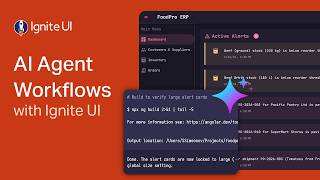
AI Agent Workflows with Ignite UI
141 views