
Angular Data Grid Tutorial: Getting Started with Ignite UI Grid
🛍️ Products Mentioned (4)
This #Angular Grid tutorial will guide you through all the steps for creating a full-featured Angular UI Grid from scratch. We will show you how to do it using NPM and Angular CLI with Ignite UI for Angular #schematics and with the help of command-line-prompts and Visual Studio Code. Angular Grid Tutorial Chapters: 0:00 Intro 0:14 Getting Help on the Angular Grid Tutorial 0:35 Installing Ignite UI Schematics 1:00 Installing Angular CLI 1:22 Create New Angular Application with Angular CLI 2:00 Review Angular Grid Samples and Angular Grid Schematics 2:45 Open Solution in Visual Studio Code 3:14 Add Ignite UI Angular in Terminal Window 3:35 Schematics Template Review & Create New Grid 5:20 Review Angular Grid Added to App 6:10 Add Data to the Grid 7:30 Convert Local String to a Data for Grid Column Formatter 9:25 Adding Grid Column with Properties 12:00 Review Grid Output from Code Changes 19:00 Set Outlook Group-By in Angular Grid 20:00 Add Grid Toolbar 21:00 Add Column Pinning, Column Hiding and Angular Grid Export to Excel 23:12 Wrap up There is also Part 2 of this series in which you will learn how to swap your data source with an HTTP endpoint: https://www.youtube.com/watch?v=GP0WU_ehvUc&t=0s What is Angular Data Grid? Angular Data Grid is a full-featured component used for quick and simple data visualization in a tabular format. The Angular UI Grid is packed with tons of features like data selection, excel style filtering, sorting, editing, paging, templating, column moving, exporting to Excel & CSV formats and more. What is Ignite UI for Angular Data Grid/Table? If you’re only looking for Angular Data Grids/Table, try out the Infragistics’ Angular Grid that can handle unlimited Angular Material Table rows and columns of data, while providing access to custom templates and real-time data updates. Ignite UI for Angular Material Table includes features like quick data binding, cell and row selection, cell and row editing and error validation, column summaries, interactive Outlook-style grouping, Microsoft Excel-style filtering, and virtualized rows and columns. It also features an intuitive API for easy theming and branding. #AngularGrid #DataGrid #AngularTutorial More about Angular Grid and the Grid Types: https://www.infragistics.com/products/ignite-ui-angular/angular/components/grid/grid More about Angular Chart and the Chart Types: https://www.infragistics.com/products/ignite-ui-angular/angular/components/charts/chart-overview Get the Ignite UI CLI: https://www.infragistics.com/products/ignite-ui-angular/angular/components/general/cli/getting-started-with-cli What is App Builder™? If you want to streamline the way you build your #UI grid in Angular even more, switch to our WYSIWYG Low-Code App Builder™ and apply everything you learned from this Angular Grid Tutorial. App Builder™ is a brand-new cloud-based drag-and-drop app maker that eliminates the complexity behind UI design and development, so you can build business apps 10x faster. You can start your app from scratch or choose from a library of pre-built app templates and responsive screen layouts. Then customize your Angular or #Blazo app with a toolbox of 60+ UI controls and generate your clean Agular code/Blazor code in a click. More about App Builder™: https://www.infragistics.com/products/appbuilder
🎬 More from Infragistics
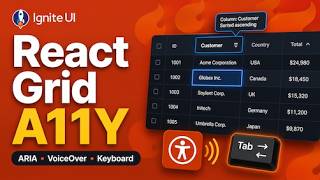
Accessible React Data Grid: ARIA, Screen Readers & Keyboard Navigation
37 views
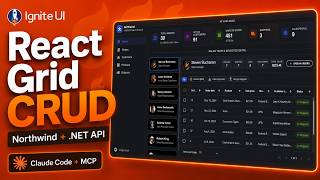
React Data Grid CRUD Tutorial with Ignite UI for React and .NET API
120 views
React Data Grid Tutorial: Ignite UI CLI, Claude Code & MCP
147 views

React Data Grid Tutorial with Claude Code, MCP Servers & Ignite UI
87 views
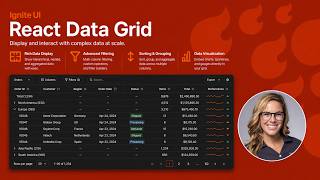
React Data Grid Explained: Features Every Enterprise React App Needs | Ignite UI
62 views

AI Agent Workflows with Ignite UI
141 views