
BEST Portable Podcast Audio Interface? Zoom PodTrak P4next Review
Hank from FreePodcastTools with my review of Zoom's PodTrak P4next. MORE INFO: zoomcorp.com/help/ p4next When you purchase the PodTrack P4next you also get documentation and a sticker. PRICE: Suggested retail of $179.99 U.S. (at the time or recording) BUILD: It’s an all plastic body with a little weight to it Much heavier than the P2 even if you doubled it Approximately 10.5 ounces with batteries inside LAYOUT: On the top of the unit we have: Power button Record button Play/Pause button Four sound pads Four more buttons consisting of Menu Tone Compression AI Noise Reduction Four mute buttons Four gain knobs Four headphone knobs On the front of the unit we have: Four ⅛” headphone outputs On the left side of the device we have: 48v phantom power on/off switch Micro SD card slot Two USB-C ports (DC power and USB-C connectivity) On the right side of the device we have: BTA 2/TRRS ports Switch for XLR/Phone On the back of the device we have: Four XLR inputs On the bottom of the device we have: Battery compartment MENU DIVE: SPECS: TESTS: Compression Tone AI Noise Reduction Preamp Noise PROS: Price Ability to pause a recording and even add a marker Record multitrack or stereo file Sound pads One-shot, pause, loop, hold, fade out short (1 sec), and fade out long (5 secs) Battery power Prioritizes USB power when both USB & batteries are present You can pull the USB power cable and not lose a beat if you have batteries in it When used while playing back a recording, the sound pads double as forward, rewind, start from the beginning, and stop The tone, compression, and AI buttons double as menu diving buttons Independent mute functionality Independent gain & headphone knobs and outputs Flush power button design Onboard DSP Solid grip on the desk Robust sound pad playback settings Zoom shares the signal chain for those of us who really nerd out on that type of stuff Voice guidance CONS: No combo jacks The headphone output volume is too quiet (½ or less the volume of the P2) Requires Bluetooth adapter for wireless functionality To use Bluetooth or TRRS you lose XLR port #4 No way to fine-tune compression or tone settings 48v phantom power is either on every mic input or off USB ports are on the side and not the back Only 4 sound pads with no way to have banks of SFX I dislike that SFX have to be in a specific format File format: WAV Sample rate: 44.1kHz, 48kHz Bit depth: 16-bit, 24-bit Plastic build and lots of play in the knobs The screen is tiny which makes it difficult to monitor NOTES: Terrible battery life when using condenser mics on battery power. If a file size exceeds 2 GB during recording, a new file will be created automatically and recording will continue without pause. No gap in sound will occur between the two files when this happens. On Windows, you can use with DAW applications that support ASIO by installing a driver. 1. Download the “ZOOM P4next Driver” zoomcorp.com/help/p4next to the computer. NOTE The latest ZOOM P4next Driver can be downloaded from the above website. 2. Launch the installer and follow the instructions to install “ZOOM P4next Driver”. PLEASE KEEP IN MIND • Do not connect the P4next to the computer during installation. • See the Installation Guide included in the driver package for detailed installation procedures. *REQUIRES TWO AA BATTERIES BUT THE P2 NEEDED 4? 00:00 Intro 00:10 Inside the box 00:16 Price 00:21 Build quality 00:57 Layout 02:08 Menu dive 05:26 Specs 06:37 Compression 07:17 Tone 07:43 AI noise reduction 08:32 Pros 11:46 Cons 15:17 Overall thoughts
🎬 More from Free Podcast Tools
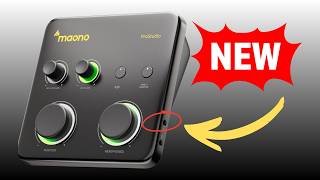
Is the Maono P1 the Best Budget Interface for SM7B?
69 views
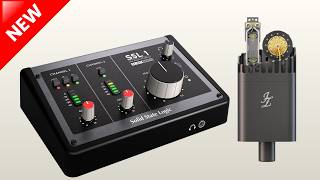
New SSL 1 Interface: Is It Too Good to Be True? - PGN011
559 views
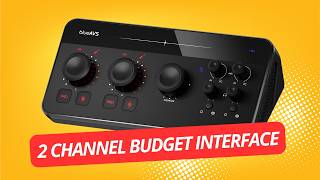
BlueAVS blueCaster II Review
306 views
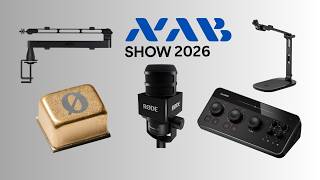
PGN010 - What's New in Podcast Audio? NAB 2026 Gear Roundup
252 views
PGN009 - Shure's New MVX2U Gen 2 Is It Worth It?
840 views
BOYA Caster X1 - Podcast Gear News Episode 8
233 views