
FIRST 16 THINGS TO DO ON IPHONE 16 PRO MAX | iOS 18 Tips & Customization
🛍️ Products Mentioned (7)
ESR Classic Hybrid Case with Stash Stand (HaloLock)
ESR Cloud Soft Case with Stash Stand (HaloLock)
ESR Cyber Tough Case with Stash Stand (HaloLock)
ESR Armorite Screen Protector

My Tech Setup

Music from Epidemic Sound. Get a 30-day free trial here
iPhone 16 Pro Max
Shop ESR Classic Hybrid Case with Stash Stand (HaloLock): https://amzn.to/4cZulXV Shop ESR Cloud Soft Case with Stash Stand (HaloLock): https://amzn.to/3B15Mg3 Shop ESR Cyber Tough Case with Stash Stand (HaloLock): https://amzn.to/3AZXgOs Shop ESR Armorite Screen Protector: https://amzn.to/3MEvxoX ❀ description ❀ I just got the new iPhone 16 Pro Max and here are the first 16 things to do on a new iPhone. Most of these are applicable to any iPhone updating to iOS 18 as well! Full review coming soon so make sure to subscribe :) ❀ product links ❀ iPhone 16 Pro Max: https://howl.link/z9241051g4b9n ❀ my socials ❀ 📸 Instagram - https://www.instagram.com/createdbyella 🎶 TikTok - https://www.tiktok.com/@createdbyellayt 🐦 Twitter - https://twitter.com/CreatedbyElla 🛒 My Tech Setup - https://www.amazon.com/shop/createdbyella 📧 For business inquiries, contact: createdbyellayt@gmail.com ❀ music used ❀ Music from Epidemic Sound. Get a 30-day free trial here: https://share.epidemicsound.com/myzcas ❀ disclosure ❀ This video is sponsored by ESR. #esr #esriphone16 #esriphone16promaxcase
About This Video
Frequently Asked Questions
🎬 More from Created by Ella

First Things To Do On New MACBOOK NEO | MacBook Setup & Customization 🎾🍋🟩
108.5K views

People Are Wrong About This Phone | Galaxy S26 Ultra Review
140.4K views

Auto Mop Switching - Genius or Gimmick? | MOVA MOBIUS 60
54.7K views
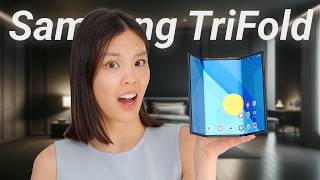
Samsung Z TriFold Review: Huge BUT Flawed
169.2K views

Switching to Galaxy Tab S11 Ultra From iPad Pro - The Better Tablet?
159.5K views

iPhone 17 Pro Max - REAL DAY IN LIFE in Singapore (Camera & Battery Test)
234.5K views