
Install Git and publish your project in Github using Git in ubuntu 22.04 LTS and newer versions
🛍️ Products Mentioned (7)
In this video i have shown how you can install git on you ubuntu operating system specific on 22.04 LTS version and newer and also create new account on github to push or publish your project in github. Command used to push the project : $ git init $ git add . $ git status $ git commit -m "initial commit" $ git remote add origin "remote_repository_link.git" $ git push -u origin master ➡️ Support me PayPal : https://paypal.me/codewitharjun Patreon : https://www.patreon.com/codewitharjun ➡️ Subscribe : https://www.youtube.com/codewitharjun Stay Connected : ➡️ LinkedIn : https://np.linkedin.com/in/arjungautam1 ➡️ Github : https://github.com/arjungautam1 Join Community : ➡️Discord : https://discord.gg/cn2x3jhMW4 Follow me on : ➡️ Medium: https://codewitharjun.medium.com/ ➡️ Dev.to : https://dev.to/codewitharjun Timelapses : 00:00 - What is git and github ? 00:22 - Install Git on ubuntu operating system 01:19 - Create github account 02:10 - Create local repository or simple project 03:14 - Create remote repository on github 04:05 - Command used to push your project 05:03 - Set the global git user email and name 06:45 - Fix support for password authentication git 09:15 - Outro #CodeWithArjun #Git #Github #Ubuntu2204LTS
🎬 More from Code With Arjun

How to Get Started with OpenClaw AI on VPS (Hostinger) | Full Beginner Guide
2.0K views

Build an AI Powered application using OpenAI API
183 views
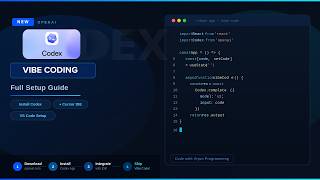
Getting Started with Codex (Full Setup + First Project Tutorial)
2.9K views

Control Your Browser with AI 🤯 | Automate Messages, Emails & Design Instantly!
141 views

Deploy MERN Stack app using Render, Vercel and mongoDB Atlas
4.5K views

How to Build an AI Phone Agent That Never Sleeps | VideoSDK Full Tutorial
6.4K views