
How to Build an AI Phone Agent That Never Sleeps | VideoSDK Full Tutorial
🛍️ Products Mentioned (6)
Get started to build your AI Telephony Agent! 👉 Sign up now: https://dub.sh/cwa-videosdk-signup Docs & Resources: AI Telephony Quick Start: https://docs.videosdk.live/ai_agents/ai-phone-agent-quick-start GitHub Telephony Repository: https://github.com/videosdk-community/ai-telephony-demo Join VideoSDK Discord Community: https://discord.com/invite/f2WsNDN9S5 Join VideoSDK Creator Program: https://dub.sh/videosdk-creator-program In this full step-by-step tutorial, you'll learn how to build a production-ready AI Phone Agent using Python and VideoSDK that can answer real phone calls 24/7 — without breaks, without downtime. Unlike standard browser-based voice bots, this AI agent connects directly to the telephone network (PSTN) via SIP, allowing it to handle real inbound and outbound calls just like a human receptionist. If you're tired of paying high per-minute markups to managed services like Vapi, Bland AI, or Retell, this tutorial shows you how to own the infrastructure. You control: - The LLM - The call logic - The telephony routing - The deployment - The costs And once deployed to the cloud, your AI phone agent truly never sleeps. VideoSDK Social Profiles VideoSDK Discord Community: https://discord.com/invite/f2WsNDN9S5 VideoSDK Github: https://github.com/videosdk-live VideoSDK LinkedIn: https://www.linkedin.com/company/videosdk VideoSDK X: https://x.com/video_sdk Timestamps: [00:00] – Demo of the AI Phone Agent application [01:09] – Introduction to VideoSDK and account setup [01:45] – Architecture overview for outbound calls [02:08] – Setting up the project files (main.py, requirements.txt, .env) [03:02] – Configuring environment variables (VideoSDK & Google Gemini API) [04:47] – Installing project dependencies and Python version check [05:11] – Initializing the main.py script and formatting [07:18] – Creating and activating a Python Virtual Environment [08:23] – Running the AI agent locally for the first time [08:35] – Twilio setup: Getting a phone number and SIP Trunking [10:53] – Configuring Termination and Credentials in Twilio [12:31] – VideoSDK Dashboard: Setting up the Outbound Gateway [13:49] – Creating Routing Rules for the AI Agent [15:21] – Initiating the call via Postman [19:00] – Final live test and interaction with the AI Agent #AIPhoneAgent #SIP #Python #Twilio #VideoSDK #Telephony #AIAgent #OpenAI #LLM #AutomatedCalling #AIReceptionist #IndieHacker #SaaS #OutboundAI #InboundAI #VapiAlternative
🎬 More from Code With Arjun
How to Get Started with OpenClaw AI on VPS (Hostinger) | Full Beginner Guide
2.0K views
Build an AI Powered application using OpenAI API
183 views
Getting Started with Codex (Full Setup + First Project Tutorial)
2.9K views

Control Your Browser with AI 🤯 | Automate Messages, Emails & Design Instantly!
141 views
Deploy MERN Stack app using Render, Vercel and mongoDB Atlas
4.5K views
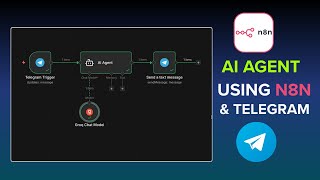
Build a Smart AI Agent Using n8n & Telegram (No-Code Automation)
2.0K views