
What's the point of a server...
- Home Lab Series: https://youtube.com/playlist?list=PLN9sIGDJC5JeyzF-wSMienGFjBNPwfIdD&si=Xir0KWiEoHmwMzL0 - "Accidental Server Build" Video: https://www.youtube.com/watch?v=zPm44fvli2o - TrueNAS Overivew: https://www.youtube.com/watch?v=3HbGdzmKxSc&t=7s - Proxmox: https://www.youtube.com/watch?v=GHatr0Qg5mY&t=9s - Tailscale Video: https://www.youtube.com/watch?v=_kRMSERbZYY Lenovo ThinkCenter NEO Ultra: https://www.youtube.com/watch?v=XHyYglgcvwo&t=1s What is the real point of your HomeLab? Before you dive into buying hardware, it's crucial to figure out what you want to achieve. Whether you're aiming to learn new skills for a career change, build the ultimate all-in-one solution for your home, or simply save money by self-hosting, your purpose will define your journey. This video is your guide to understanding the different paths you can take to build the perfect HomeLab for your specific needs. We break down the most important decision you'll make: sizing up your server. We explore the difference between a large, powerful machine for demanding tasks like AI, cloud gaming, and running multiple virtual machines, versus a small, quiet, and power-efficient Mini-PC for lighter services like a print server or Active Directory. We'll help you weigh the pros and cons so you can make a more informed and better buying decision that fits your budget and your goals. From buying brand new proprietary systems from Dell or HP to hunting for amazing deals on used components on Facebook Marketplace, we cover all the options. We also look at what a server actually is and the incredible range of services you can run, from a Plex media server for your movies and shows to creating multiple gaming VMs for your kids from a single powerful PC. The key is to think about what you want your HomeLab to do for you, and we're here to help you figure that out. #HomeLab #Server #SelfHosted #Plex #MiniPC #Tech #Networking #DIYTech #TrueNAS #homeserver Chapters: 00:00 - What is a Home Server? 01:00 - Common Server Use Cases (Files, Printing, Gaming) 02:07 - You Don't Need to Buy a Server 02:30 - Practical Use Cases: Two Systems 03:09 - Use Case 1: Simple File Server with Proxmox 04:27 - Stepping It Up: Synology NAS for Important Data 05:30 - Virtualizing Your Router with OPNsense 06:37 - Use Case 2: The Powerful Gaming & Testing PC 07:30 - Multi-OS Testing with GPU Passthrough 08:30 - Remote Gaming with a Windows VM 09:50 - Splitting One Powerful PC into Multiple Gaming Rigs 11:14 - Combining Systems: Accessing the NAS from a VM 11:50 - Access Your NAS From Anywhere with Tailscale 12:18 - What Do YOU Want To Do With a Home Lab? 13:20 - Outro
🎬 More from Bob Loves Tech
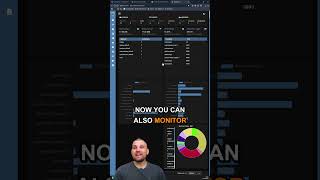
Dockwatch Docker Monitoring Tool #homelab #selfhosted #docker #proxmox
411 views
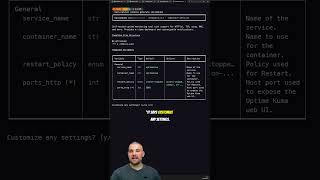
Stop Hunting for Docker Compose Files
272 views

If You’re the Family IT Guy, You Need Twingate
235 views
This upgrade turns my 12 Year Old Mac Mini into a Homelab Powerhouse #macmini #macupgrade
546 views
I stumbled across this absolute bargain! #techtok #homelab #macmini
1.1K views
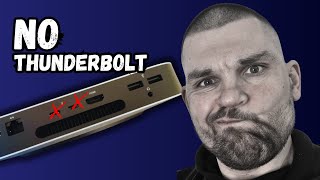
Mac Mini M1 Homelab So Close To Perfection!
1.2K views