
If You’re the Family IT Guy, You Need Twingate
Thank you to Twingate for sponsoring today's Video! Description If you’re the unofficial IT support person for your family, you know how painful remote troubleshooting can be. In this video, I walk through Twingate and show how it can make secure remote access much easier for home labs, family devices, and managed resources. This is a sponsored video, but I’ve also been using Twingate for years myself, so this overview is based on real experience. We go through the initial setup, deploying a connector, adding resources, installing the client, and using groups to control exactly who can access what. If you want a simpler way to securely access devices, services, and networks without the usual VPN headaches, Twingate is definitely worth a look. What do you think of Twingate? Let me know in the comments. Thanks for watching. Don’t forget to like and subscribe. #Twingate #HomeLab #RemoteAccess #SelfHosted #Networking #VPN #SysAdmin Timestamps 00:00 Family IT support struggles 00:21 Intro to Twingate 00:40 What this overview covers 00:56 Creating a Twingate account 01:12 Naming your private network 01:26 Choosing sign-in / SSO 01:44 Easy onboarding process 02:01 Connecting your network 02:20 Connector setup options 02:35 Generating access tokens 03:08 Installing the Linux connector 03:28 Connector deployment complete 03:44 Adding your first resource 04:02 Installing the client on your devices 04:41 Verifying the device in the admin console 05:04 Why Twingate recommends two connectors 05:44 Creating a granular resource 06:33 Tags and initial access settings 06:49 Creating groups for access control 07:28 Granting resource access to specific groups 07:50 Inviting users 08:04 Assigning users to groups 08:25 Restricting access by group 08:43 Why granular access is so useful 09:06 Using Twingate for family and remote support 09:54 Final thoughts on Twingate 10:19 Outro
🎬 More from Bob Loves Tech
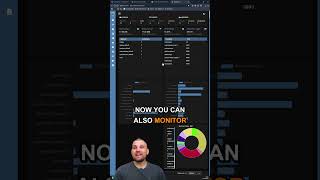
Dockwatch Docker Monitoring Tool #homelab #selfhosted #docker #proxmox
411 views
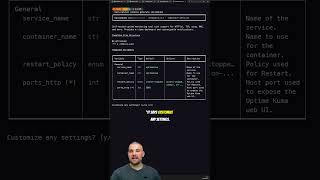
Stop Hunting for Docker Compose Files
272 views

This upgrade turns my 12 Year Old Mac Mini into a Homelab Powerhouse #macmini #macupgrade
546 views
I stumbled across this absolute bargain! #techtok #homelab #macmini
1.1K views

Mac Mini M1 Homelab So Close To Perfection!
1.2K views
3 Devices To Get Your Home Lab Ready in 2026 #techtok #macmini #fedora #linux
906 views