
Stop Clicking OK - Complete Proxmox Post-Install Setup Guide
🛍️ Products Mentioned (3)
Remove the Proxmox subscription popup and optimize your Proxmox VE setup in under 30 minutes using ProxMox Script. This complete Proxmox post-install tutorial covers SSH key setup, subscription banner removal, IOMMU configuration for GPU passthrough, and automated VM monitoring. 🎯 What This Proxmox Tutorial Covers: - Password-less SSH setup for secure remote access (1:18) - Install ProxMox Script to remove subscription popup (4:22) - Enable IOMMU for GPU passthrough (6:10) - Optimize Proxmox memory and performance (7:45) - Create Synology NAS VM with physical disk passthrough (10:36) - Automate Proxmox monitoring with N8N and Telegram (15:34) Perfect for Proxmox beginners who just completed their first Proxmox VE installation and want to set up a production-ready homelab server. 🔧 Resources: ► Proxmox Menu X (GitHub): https://github.com/MacRimi/ProxMenux ► Tailscale: https://tailscale.com/ ► n8n (Automation): https://n8n.io/ ► My Full Synology on Proxmox Guide: https://www.youtube.com/watch?v=il3UfptmKxg&t=15s ⏱️ Timestamps: 0:00 - Why these 5 things matter for Proxmox beginners 1:18 - SSH key setup for password-less Proxmox access 4:22 - ProxMox Script installation and configuration 6:10 - Enable IOMMU for GPU passthrough 10:36 - Create Synology NAS VM in Proxmox 15:34 - Automate Proxmox with N8N and AI monitoring #Proxmox #ProxmoxVE #Homelab #SelfHosted #ProxmoxTutorial #LinuxHomelab #ProxmoxSetup
🎬 More from Bob Loves Tech
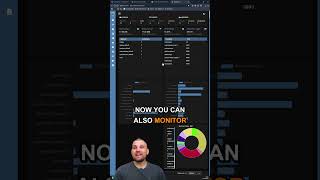
Dockwatch Docker Monitoring Tool #homelab #selfhosted #docker #proxmox
411 views
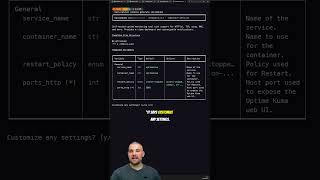
Stop Hunting for Docker Compose Files
272 views

If You’re the Family IT Guy, You Need Twingate
235 views
This upgrade turns my 12 Year Old Mac Mini into a Homelab Powerhouse #macmini #macupgrade
546 views
I stumbled across this absolute bargain! #techtok #homelab #macmini
1.1K views
Mac Mini M1 Homelab So Close To Perfection!
1.2K views