
Enhance Your Projects with Bottango: Using Servo Control with Arduino Mega & PCA9685 Servo Driver
See how to enhance your animation project with Bottango using servo control with Arduino Mega and the PCA9685 servo driver. 🔒Stay safe online with NordVPN 👉 Get it here: https://go.nordvpn.net/aff_c?offer_id=15&aff_id=123676&url_id=902 (affiliate link) NordVPN helps protect your data, lets you stream securely from anywhere, and blocks ads & trackers with Threat Protection Pro™. It’s fast, easy, and works on all your devices. 🛡️ I may earn a small commission if you use this link (at no extra cost to you) — thank you for supporting the channel! 🔔🔔 SUBSCRIBE 🔔🔔 don't forget to subscribe and click the bell! https://www.youtube.com/channel/UCt4bQMxOytascRdZmRao0wg?sub_confirmation=1 Facebook: https://www.facebook.com/BMonster-Laboratory-101410418059806/ ***find the code on our Facebook page - check in the comment section*** Twitter: https://twitter.com/b_monsterlab check out our Arduino play list! We try to make it easy 👍 https://www.youtube.com/playlist?list=PLcO7FXCqKbe4umnPh31rrKc3D0F01g3cD download Bottango here - https://www.bottango.com/ Chapter: 0:00 intro 0:10 Item in this video 0:40 download Bottango 0:51 build your Bottango model project 12:16 Animate in Bottango 13:58 Add key frames to your Animation 16:46 setup your servo motors in Bottango 18:28 add on/off trigger (LED custom event) to your animation 20:50 upload Bottango sketch to your Arduino board 23:16 wiring diagram 23:23 setup your driver to go live 25:23 hardware status - turn everything on! 26:10 demo - real-time animate from Bottango software 26:21 add a delay to your loop 27:15 start real-time animate demo 28:06 export code for Arduino 30:01 config sketch to work without computer connection 31:00 run animation from the code you uploaded 31:54 some helpful troubleshooting tips 3d printed pit droid came from files purchased here (no affiliation) - https://www.etsy.com/listing/738096855/spacebobs-pit-droid-inspired-movie?click_key=4b061bf9ec8b096ba48cc3ce2dee8d6c64081850%3A738096855&click_sum=49f88a6f&ref=shop_home_active_2&crt=1&sts=1 Dive into the fascinating world of animatronics and robotics with our latest tutorial, "Enhance Your Projects with Bottango: Using Servo Control with Arduino Mega & PCA9685 Servo Driver". In this engaging and informative video, I'll guide you through every step of setting up Bottango to bring your creative ideas to life. From the basics of servo control using the robust Arduino Mega and the versatile PCA9685 servo driver to advanced techniques for crafting your own animations, this tutorial covers it all. You'll learn not just to animate your projects but to make them portable and mobile, taking your animatronics anywhere you go. I'll walk you through the process of exporting code from Bottango and implementing it on your Arduino, ensuring you have all the tools and knowledge to make your animation projects stand out. Whether you're a seasoned robotics enthusiast or just starting out, this video will inspire you to explore the limits of your creativity with Arduino. Join me as we unlock the potential of these powerful technologies to create something truly unique and captivating.
🎬 More from BMonster Laboratory
Control a Camera Wirelessly with ESP32 + Joystick (ESP-NOW Pan Tilt)
94 views
Simple Arduino Pan Tilt Servo Control with Joystick
831 views
DIY Zigbee Smart Home with ESP32-C6: Door Sensor, Lights & Temperature
563 views
Arduino LCD Not Working 5 Common Mistakes Fix in Minutes - 1602 LCD Display
794 views

How To Properly Crimp Dupont Pins for Arduino – Wrong vs Right
1.1K views
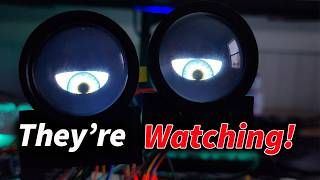
I Built Motion-Activated Animatronic Eyes That Talk (Teensy 4.1 + WAV Audio)
268 views