
Upgrading the K1 series with the BTT Eddy Probe
🛍️ Products Mentioned (5)
This video walks through the steps to install a new bed probe for the Creality K1 series machines. While in this video we install a BTTEddy probe, the steps remain near the same for other after market probes. ⚠️ IMPORTANT - Do to recent ongoing firmware changes the Guided macro's are no longer available. Please follow the calibration steps listed on the WIKI⚠️ Printables File https://www.printables.com/model/1012524-btteddy-creality-k1-k1c-k1-max-mount You will need this firmware https://pellcorp.github.io/creality-wiki/btteddy/#calibration Amazon Affiliate Links BigTreeTech Eddy DUO - https://amzn.to/4jrZnw8 JST Connector Set - https://amzn.to/4gDh768 Pinecil Soldering Iron - https://amzn.to/3XVW2g6 Note - There is currently an issue that users have been having in regards to the BTT Eddy and the devices Drive Current. On initial calibration the Eddy prefers to calibrate this Current lower than seams to be required for proper operation. Generally this drive current will set itself to 15/16. Some users have reported having to manually set this value to as high as 18 for the Eddy to operate properly. This setting can be found in the printer.cfg in the SAVE_CONFIG section. manually changing this value to a higher value has improved operation for users. Most users are recommending a value of 18. Once this value has changed, you'll want to redo the calibration steps starting at Step 4 in the CALIBRATE_BTTEDDY macro.
🎬 More from ZeroDotCMD
Turn Anything Into a 3D Print with Hitem3D!
9.0K views
Anycubic Kobra X – Better than Expected?
35.3K views
Is the NeoSander the Best Option for 3D Printing? Reciprocating Detail Sander!
19.1K views

You’ve Been Lied To About Blender for 3D Printing
12.4K views
Custom 3D Printed Light Box (Designed in Blender)
3.7K views
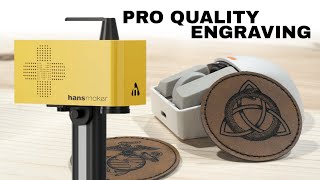
The Fastest Engraver I’ve Ever Tested – HansMaker F1 Pro
652 views