
How to Design for 3D Printing in Blender - Beginner Tutorial
🛍️ Products Mentioned (7)
Pre-Made Blender Project File
Dual Metric / Imperial Stainless Ruler
Stainless Steel Digital Calipers
Digital Dial Indicator
Boost your Project with PCBWay today!
ELEGOO PLA+
HatchBox PLA
🟢 Boost your Project with PCBWay today! https://pcbway.com/g/J30cNm ⬇️ Tutorial – Preset Download Below ⬇️ 📁 Blender Project File (Skip Manual Setup) ✅ Pre-Made Blender Project File https://drive.proton.me/urls/NY15VS0CC4#e73aQfvqo6fC 🔳 If you want to skip the manual workspace setup, load this project file and save it as your Blender default. 🔳 🧠 About This Video Designing precise, functional parts for 3D printing in Blender is far easier than most people realize—once you understand the correct workflow. In this video, I walk you through: • Setting up Blender properly for precision modeling • Using Blender’s grid, units, and orthographic views correctly • Designing a dimensionally accurate headphone mount from scratch • Creating clean geometry using non-destructive techniques • Preparing and exporting a model correctly for 3D printing This workflow is simple, repeatable, and practical—whether you’re new to Blender or coming from CAD software. 🧰 Tools & Materials (Support the Channel) Purchasing through these links helps support the channel and allows me to keep making content like this. Thank you! 📦 Filament (Amazon Affiliate Links) HatchBox PLA – https://amzn.to/4agbZ5f ELEGOO PLA+ – https://amzn.to/3Y4NYth 📦 Measuring Tools I Use Dual Metric / Imperial Stainless Ruler – https://amzn.to/3YCVFpX Stainless Steel Digital Calipers – https://amzn.to/3O1IE4j Digital Dial Indicator – https://amzn.to/3ChWCwr ⏱️ Chapters 00:00 CAD vs Blender for 3D Printing (Precision Myth) 00:26 The Problem: Desk Headphone Mount 01:02 Sponsor + What We’re Building 01:10 Blender Setup for Precision (Units + Grid) 02:10 Viewport Scale + Clipping Settings 03:18 Settings (3D Print Toolkit, Spacebar Search, Snapping) 04:05 Start Modeling: 20mm Reference Cube 05:13 Precision Workflow: Orthographic, Wireframe, Grid Reading 06:42 Measuring the Headphones + Desk 07:23 Building the Mounting Plate (40mm Offset + Width) 10:02 Thickness for Screws (Stronger Base) 10:44 Blocking Out the Hook Geometry 12:00 Bevels for a Better Headphone Rest 13:02 Extrude + Shape the Hook 14:31 Refining the Mount + Bevel Cleanup 15:29 3D Print Toolkit: Check for Manifold Issues 16:19 Sponsor: PCBWay 17:20 Adding Screw Holes (Boolean Basics) 20:14 Inset Screw Head (Second Boolean) 22:09 Export STL + Final Print Reveal 23:05 Closing Thoughts (Workflow Over Software)
🎬 More from ZeroDotCMD
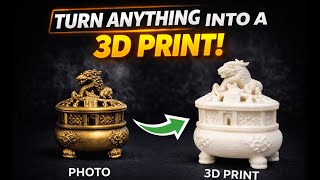
Turn Anything Into a 3D Print with Hitem3D!
9.0K views
Anycubic Kobra X – Better than Expected?
35.3K views
Is the NeoSander the Best Option for 3D Printing? Reciprocating Detail Sander!
19.1K views
You’ve Been Lied To About Blender for 3D Printing
12.4K views
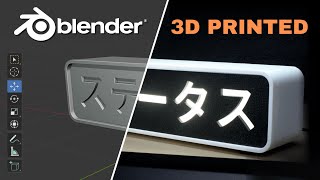
Custom 3D Printed Light Box (Designed in Blender)
3.7K views
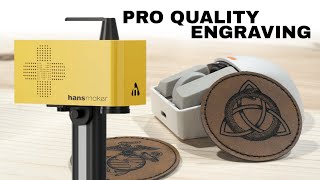
The Fastest Engraver I’ve Ever Tested – HansMaker F1 Pro
652 views