
YouTube Comments: Replying, Filtering and Moderating
🛍️ Products Mentioned (3)
Learn how to use comment filters and moderation tools in YouTube Studio to build a stronger community. We’ll show you how to save default filters on desktop and mobile, work with moderators, and use new sorting options to manage your conversations more efficiently. 0:00 Intro 0:21 Comment Sorting 0:48 Saving Default Filters 1:53 Response Status Tools 2:07 Community Engagement 3:07 Moderation Settings 4:24 Standard vs. Managing Moderators 5:09 Reporting & Removing Comments 6:10 Final Tips Learn more about comment settings: https://support.google.com/youtube/answer/9483359 Subscribe and hit the bell to see new videos: https://goo.gl/So4XIG ► Check out our Help Center: https://goo.gl/fBzr7 ► Check out the Creator Insider channel: https://www.youtube.com/@creatorinsider
🎬 More from YouTube Creators
New Ways to Manage Comments, Popular Music on Image Posts, and more! #shortsroundup 🗞️✨
63.7K views
Music in Posts, Updated Content Tab, and more | Creator Roundup
28.5K views
The Content Tab in YouTube Studio
121.6K views

THE BRAND DEAL DESK: Published. Now What?
19.9K views

How to Create a Safari 3D Effect in Effect Maker with @cloves_ar
4.1K views
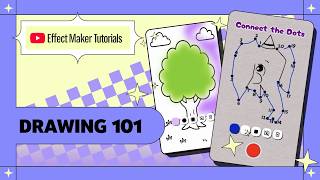
Effect Maker Tutorial: Drawing 101 with @varunraikar
2.9K views