
Recover a Hacked Channel
🛍️ Products Mentioned (3)
We know it can be a stressful situation when your channel is hacked. In this video, we'll walk through actions you can take if you notice suspicious activity on your YouTube channel. If you're still having trouble after recovering your Google Account and you're in the YouTube Partner Program, you can reach out to our Creator Support team for more help. If you're not in the YouTube Partner Program, you can reach out to @TeamYouTube on X for guidance. For more information on how to recover your channel and to chat with our hacked channel assistant, check out this Help Center article: https://support.google.com/youtube/?p=recover_hacked_channel Check out our 'Preventing Channel Hijacking' video: https://youtu.be/5gBn2acPu-A 00:00 | Intro 00:11 | Warning Signs of a Hacked Channel 00:42 | Recover Your Channel 02:14 | Secure & Clean Up Your Channel 03:09 | Prevent Your Channel from Being Hacked Again Subscribe and hit the bell to see new videos: https://goo.gl/So4XIG ► Check out our Help Center: https://goo.gl/fBzr7 ► Check out the Creator Insider channel: https://www.youtube.com/@creatorinsider
🎬 More from YouTube Creators
New Ways to Manage Comments, Popular Music on Image Posts, and more! #shortsroundup 🗞️✨
63.7K views
Music in Posts, Updated Content Tab, and more | Creator Roundup
28.5K views
The Content Tab in YouTube Studio
121.6K views

THE BRAND DEAL DESK: Published. Now What?
19.9K views

How to Create a Safari 3D Effect in Effect Maker with @cloves_ar
4.1K views
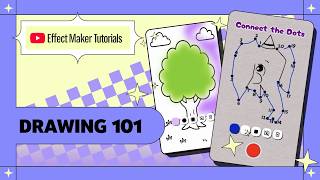
Effect Maker Tutorial: Drawing 101 with @varunraikar
2.9K views