
How to Prevent Hijacking & Secure Your YouTube Channel
🛍️ Products Mentioned (5)
We know that keeping your YouTube channel secure is a top priority for creators. You may never expect your channel to get hacked, but when it does happen it can cause stress, along with logistical complications. In this video, we'll walk through common pitfalls to avoid, and how to secure your channel to prevent it from being hacked. For more information about securing your channel, check out these Help Center articles: https://support.google.com/youtube/answer/9701986 https://support.google.com/youtube/answer/2802848 If your account has been hacked, go to this Help Center article: https://support.google.com/youtube/answer/76187 0:00 Hijacking on YouTube 0:15 Avoid Phishing & Malware Scams 0:45 How to Avoid Scams 2:23 Enable Account Security Features 3:33 Check & Update Channel Access Regularly Subscribe and hit the bell to see new videos: https://goo.gl/So4XIG ► Check out our Help Center: https://goo.gl/fBzr7 ► Check out the Creator Insider channel: https://www.youtube.com/@creatorinsider
🎬 More from YouTube Creators
New Ways to Manage Comments, Popular Music on Image Posts, and more! #shortsroundup 🗞️✨
63.7K views
Music in Posts, Updated Content Tab, and more | Creator Roundup
28.5K views
The Content Tab in YouTube Studio
121.6K views

THE BRAND DEAL DESK: Published. Now What?
19.9K views

How to Create a Safari 3D Effect in Effect Maker with @cloves_ar
4.1K views
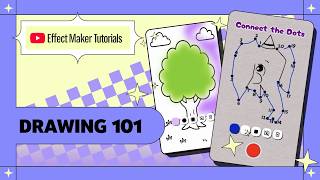
Effect Maker Tutorial: Drawing 101 with @varunraikar
2.9K views