
All About Official Artist Channels | YouTube for Artists
🛍️ Products Mentioned (5)
00:00 | Intro 00:21 | What is an Official Artist Channel (OAC)? 00:46 | Customizing Your Channel Profile & Home Tab 04:28 | Optimizing Your Channel Content: Titles & Thumbnails 05:24 | Additional Resources Check out https://artists.youtube/ for even more resources for Artists. Learn more about how to connect your merch to your OAC: https://support.google.com/youtube/answer/12258288?utm_source=youtube&utm_medium=description_link&utm_campaign=channel_store Learn how to apply for an OAC: https://support.google.com/youtube/answer/7336634?sjid=7520630385362468206-NC&utm_source=youtube&utm_medium=description_link&utm_campaign=OAC_application#zippy=%2Chow-to-apply-for-an-official-artist-channel Subscribe and hit the bell to see new videos: https://goo.gl/So4XIG ► Check out our Help Center: https://goo.gl/fBzr7 ► Check out the Creator Insider channel: https://www.youtube.com/@creatorinsider
🎬 More from YouTube Creators
New Ways to Manage Comments, Popular Music on Image Posts, and more! #shortsroundup 🗞️✨
63.7K views
Music in Posts, Updated Content Tab, and more | Creator Roundup
28.5K views
The Content Tab in YouTube Studio
121.6K views

THE BRAND DEAL DESK: Published. Now What?
19.9K views
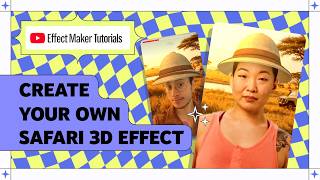
How to Create a Safari 3D Effect in Effect Maker with @cloves_ar
4.1K views
Effect Maker Tutorial: Drawing 101 with @varunraikar
2.9K views