
Easily Save HOURS Editing Your Next Video
My Gear 📹* My Camera: https://amzn.to/3iSP61m My Go To Lens: https://amzn.to/3FhMSQq The Mic in This Video: https://amzn.to/3h986YI My Shotgun Mic: https://amzn.to/3F79Md6 Best Editing Laptop: https://amzn.to/3VHloup My Monitor: https://amzn.to/3HncYo2 My Tripod: https://amzn.to/3PaUhWq My Wide Angle Lens: https://amzn.to/3Y3vA2h The best website for video assets like titles, music, and templates! Get $50 off of an annual subscription: https://motionarray.com/?artlist_aid=willhallmedia_2262&utm_source=affiliate_p&utm_medium=willhallmedia_2262&utm_campaign=willhallmedia_2262 The best website to get music for your videos! Get 2 months free with an annual subscription: https://artlist.io/artlist-70446/?artlist_aid=willhallmedia_2262&utm_source=affiliate_p&utm_medium=willhallmedia_2262&utm_campaign=willhallmedia_2262 Free video editing software for creators: https://fxhome.com/?artlist_aid=willhallmedia_2262&utm_source=affiliate_p&utm_medium=willhallmedia_2262&utm_campaign=willhallmedia_2262 The best footage license in the world, get 2 months free with an annual subscription: https://artgrid.io/artgrid-114820?artlist_aid=willhallmedia_2262&utm_source=affiliate_p&utm_medium=willhallmedia_2262&utm_campaign=willhallmedia_2262 *Any time you use my affiliate links, I will get paid a royalty fee. This helps support the channel and keeps me making the best videos for you guys! Thank you all for watching! RIP to my chapped lips Time stamps: 0:00-0:35 Intro 0:35-1:54 Example #1 - Color Correction Preset 1:54-2:27 Example #2 - Zooms and Scaling 2:27-4:00 Example #3 - 2 Tier Comparisons 4:00-4:43 Example #4 - Get Crazy With Multiple Effects 4:43-5:22 Example #5 - Audio Presets 5:22-5:54 Outro 5:54-7:33 Bonus Content YEEEEEE Description / / Video Editing can be a time consuming process. From cutting to coloring, it can eat up a few days depending on the project you are working on. One of the biggest time consumers in editing are sometimes tasks that can be redundant and are repeated over and over and over. And sometimes you can fast track those specific tasks by using PRESETS! Yes..presets. A beautiful feature in most editing softwares that can sometimes cut your editing time in half. So let’s go over how to set up presets and different examples of use cases that you can use presets for! ------------------------- #videoediting #filmakking #contentcreation Content Creation Filmmaker Video Editing Video Editor Videography
🎬 More from Will Hall
I Built My Wife a Cozy Home Office | Vernal Core3 Standing Desk
17.9K views

A Week in the Life of a Content Creator Behind the Scenes
1.4K views
I Built a Mobile Camera Setup for My Dream Home Office
3.1K views
If I Started a YouTube Channel Again in 2026...
1.3K views
Life Update...Taking a Step Back
1.9K views
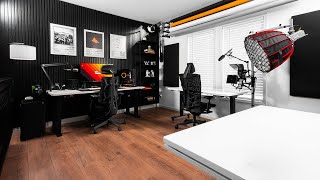
My Dream Home Office + Studio (2026 Update Video)
7.8K views