
Creating Custom Buttons for the Unfolded Circle Remote
🛍️ Products Mentioned (10)
JVC NZ700
Kaleidescape Strato C
Kaleidescape Terra 48TB
HDHomeRun Flex 4K tuner
Kaleidescape Strato V
All Valencia Options
Home Assistant Green
UMIAcoustics black wall panels
ATS 24x48x2 acoustic absorption panels (with custom artwork)
ATS 24x36x2 acoustic absorption panels
The long-awaited Unfolded Circle Remote 3 is finally here—and if you're one of the many backers eager to get started, this in-depth video is your go-to guide for setting it up, customizing it, and unlocking its full potential. I was an early backer of the Kickstarter campaign, and after getting my hands on the Remote 3, I’ve taken the time to walk through everything from unboxing to advanced programming. 👨💻 I made this guide with both beginners and power users in mind—if you're part of the Remote 3 community, you'll find helpful tips to make your setup smoother and smarter. 📦 This remote is a powerful tool for controlling your home theater, smart home gear, or multi-room setups. Don’t miss the details that will save you time and frustration. --------------------------------------------- Join this channel https://www.youtube.com/channel/UCA8RAVCSp12VeLXA5NkrRjg/join Othello Cinema equipment: --------------------------------------------- JVC NZ700: https://audioadvice.io/4iF0ure Kaleidescape Strato C: https://audioadvice.io/3ZO6g1E Kaleidescape Strato V: https://audioadvice.io/3ZREK3E Kaleidescape Terra Prime Server: https://audioadvice.io/3BE9nBm HDHomeRun Flex 4K tuner: https://amzn.to/3Czw4aa Home Assistant Green: https://ameridroid.com/products/home-assistant-green?ref=avnirvana Valencia Monza Carbon Fiber Seating: https://us.valenciatheaterseating.com/?sca_ref=7081756.CdTEGcxFKh Acoustic panels --------------------------------------------- ATS 24x36: https://amzn.to/4fjHM6b ATS 24x48: https://amzn.to/4ge9JO1 UMIAcoustics panels: https://amzn.to/4geEIJL Affiliate links above provide support for the channel and the content we produce, but do not influence the content itself. No editorial approval is provided to vendors or manufacturers. #UnfoldedCircleRemote3 #Remote3Setup #HomeTheaterRemote #SmartRemote #KickstarterTech #RemoteControlProgramming #UniversalRemote #UnfoldedCircle #HomeTheater #SmartHomeGear #HomeAutomation www.unfoldedcircle.com 00:00 - Start 01:58 - Creating a new Activity 03:56 - Laying out the Physical Button Commands 06:02 - Organizing the User Interface Screens 20:28 - Copying a User Interface Page to a Separate Activity
🎬 More from Thrillcat Cinema Lab - Home Theater Conversation

Is 'The Moment' a Concert Movie? Charli XCX in the Front Row Cinema
129 views
StormAudio ISP Core 16+: Don't Start Your Calibration From Scratch!
328 views
WUPRO CINEMA-LEVEL Soft Grey Matte Screen Tests
3.9K views
How The Blues Brothers led to my Home Theater ADDICTION
237 views
Can an ALR Screen Change Your Movie Experience?
2.8K views
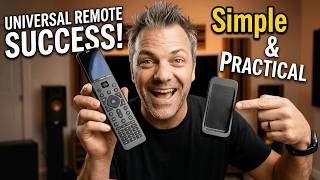
SofaBaton U3 Review Simple, Practical, and Surprisingly Good
1.7K views