
How to Blur Images in DaVinci Resolve (the EASIEST Method!)
🛍️ Products Mentioned (1)
Sometimes you need to blur background images when you are video editing... maybe it's an address, a license plate, a face. And the last thing you want to do when you're in the video editing zone is waste time learning how to do things like this! So here's how to quickly blur items in DaVinci Resolve! I like to keep these tutorial videos short so you can come back to them when you eventually forget and get right to the point. This is a great skill to have in your video editing arsenal. Use it well! Don't have a copy of Resolve? There FREE version is incredible. Get your copy here: https://www.blackmagicdesign.com/ca/products/davinciresolve In case you missed my other DaVinci Resolve tutorial on how to track and stick items to moving objects, check that out here: https://youtu.be/F5F1g26HX8o?si=pRQDG-i5SIgnjhle Thanks for watching! #DavinciResolve #DavinciResolve19
🎬 More from The SAHD Studio
How I Use AI to Make BETTER Thumbnails
150 views
24mm vs 28mm — Which Makes Your Face Look Better on Camera?
2.9K views
Could the Viture Luma Ultra Glasses Replace Your Monitor for Editing?
9.5K views
Should You Buy the Logitech MX Master 4 for Video Editing?!
7.9K views
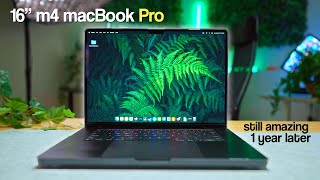
The M4 MacBook Pro Is SO Good I Don’t Even Care About the M5
23.1K views

Have I Been Using the WRONG Light This Whole Time? (COB vs LED)
2.3K views