
Notion 3.0 Explained | Top Features & What's Coming Soon!
🛍️ Products Mentioned (8)
Try out my Notion AI Agent Instruction Template Here
Learn more in the blog article
Screen Recording Tool I Use For My Tutorials!
Notion Marketplace
Our store
Our classes
Our coaching service
Our community
👩🏻💻 Try out my Notion AI Agent Instruction Template Here: https://theorganizednotebook.com/products/content-writer-assistant-notion-ai-agent-template 🎥 Screen Recording Tool I Use For My Tutorials!: https://screenstudio.lemonsqueezy.com?aff=qG64o In this video, you’ll get a practical tour of Notion 3.0. I’ll cover what’s available now and what’s coming soon so you can implement these changes into your workspace! What’s included now: - Granular database permissions: share a linked view and let assignees or creators edit only their own tasks. Useful for contractors. Note: property-level restrictions don’t apply yet, so people may still change assignees. - Notion Agent: personalize instructions, reference pages like brand guidelines, create projects, undo actions, change tone, and assign existing templates to generate content and file it in the right database. - AI Formulas: ask AI to write, fix, or explain formulas. Example: mark overdue tasks, fall back to status when not overdue, and style done items bold and green. - AI connectors: connect Notion Mail and more so AI can use additional context and compile reports. Coming soon: - Teams of custom agents: multi-role agents that can run on triggers and cycles, like weekly reports or Slack-driven workflows. - Map view for databases: store places and see them on a map. Great for travel planners and restaurant lists. 💻 Learn more in the blog article: https://theorganizednotebook.com/blogs/blog/notion-3-0-explained-top-features-whats-coming-soon ⏭️ Watch Next AI Agent Deep Dive: https://youtu.be/c2ZIRzj9734 Learn Notion by Building Playlist: https://www.youtube.com/watch?v=01Mww1u-wVw&list=PLtlTpapNYD0QgSmWz2utad4AQ7amkvDt1 Notion In-Depth Tutorials: https://www.youtube.com/watch?v=aVKrhKBaeLg&list=PLtlTpapNYD0RuftXXKQbpaqU30s3-v7-_ ⏱️ Time Stamps 0:18 Update 1 2:38 Update 2 4:43 Update 3 6:04 Update 4 6:48 Features Coming Soon! ✨The Organized Notebook 🗓💼 ✨ Facebook: https://www.facebook.com/the.organized.notebook Instagram: https://www.instagram.com/the.organized.notebook/ TikTok: https://www.tiktok.com/@the.organized.notebook Pinterest https://www.pinterest.com/organizednotebook Twitter https://twitter.com/organizednote Notion Marketplace: https://www.notion.com/@the-organized-notebook Our store: https://theorganizednotebook.com/store/ Our classes: https://theorganizednotebook.com/classes/ Our coaching service: https://theorganizednotebook.com/coaching-service/ Our community: https://www.meetup.com/notion-meetup-group/ ❗️FTC Disclaimer: There may be affiliate links in this description, if you click on them I may receive a small commission. Copyright 2025 The Organized Notebook © All rights reserved. #notion #notionupdate #notiontemplate @The Organized Notebook
🎬 More from The Organized Notebook
10 Task Management Tips & Tricks in Notion | Notion Tutorial & Guide!
62 views
EASY Time Block System with Notion & Notion Calendar! (Step-by-Step Tutorial)
1.0K views
NEW Notion AI Skills | Tutorial + FREE Skill Pack Template
938 views
ULTIMATE Content Planner Notion Template | Template Tour & Tutorial + AI Version
1.2K views
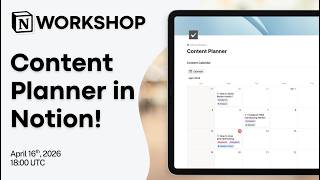
Notion Masterclass: Build Your Content Planner in Notion!
604 views
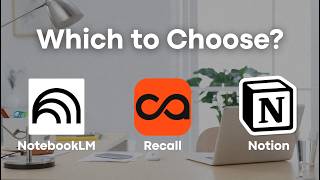
Notion vs. NotebookLM vs. Recall: Which AI Note taker Should You Use in 2026?
1.6K views