
How to Use Notion's NEW Dashboard View | Full Guide & Tutorial
🛍️ Products Mentioned (9)
Learn more in the blog article
Book a Call! Notion Custom Setup & Consultations
Screen Recording Tool I Use For My Tutorials!
Notion Marketplace
Our store
Our classes
Our coaching service
Our community
Level-Up your Notion! Free Resources, Premium Templates & Custom Services
✨ Premium Templates: https://theorganizednotebook.com/ 👩🏻💻 Custom Design Services or 1:1 Coaching? Let’s chat!: https://theorganizednotebook.com/products/free-discovery-call 🎥 Screen Recording Tool I Use For My Tutorials!: https://screenstudio.lemonsqueezy.com?aff=qG64o In this video, you’ll learn how to use Notion’s new Dashboard view (available for Business and Enterprise plans) to build a clean, customizable dashboard that can pull from multiple databases. We’ll cover how to create a dashboard, add widgets, switch between view types (list, calendar, timeline, map, and charts), and use the new Number chart to display a single metric like “tasks due today.” You’ll also learn how global filters work across multiple data sources, plus the key limitations and tips to keep your dashboard fast. Don’t forget to like, share, and subscribe to the channel for more valuable tips! 🚀🔥 💻 Learn more in the blog article: https://theorganizednotebook.com/blogs/blog/notion-dashboard-view-tutorial 📊 Notion Charts View Tutorial: https://youtu.be/J0SuzmtH7ko ⏭️ Watch Next Learn Notion by Building Playlist: https://www.youtube.com/watch?v=01Mww1u-wVw&list=PLtlTpapNYD0QgSmWz2utad4AQ7amkvDt1 Notion In-Depth Tutorials: https://www.youtube.com/watch?v=aVKrhKBaeLg&list=PLtlTpapNYD0RuftXXKQbpaqU30s3-v7-_ ⏱️ Time Stamps 0:00 intro 0:21 Creating a Dashboard View 4:17 Multiple Sources 5:49 Global Filters 7:30 Limitations & Tips ✨The Organized Notebook 🗓💼 ✨ Facebook: https://www.facebook.com/the.organized.notebook Instagram: https://www.instagram.com/the.organized.notebook/ TikTok: https://www.tiktok.com/@the.organized_notebook Pinterest https://www.pinterest.com/organizednotebook Twitter https://twitter.com/organizednote Notion Marketplace: https://www.notion.com/@the-organized-notebook Our store: https://theorganizednotebook.com/store/ Our classes: https://theorganizednotebook.com/classes/ Our coaching service: https://theorganizednotebook.com/coaching-service/ Our community: https://www.meetup.com/notion-meetup-group/ ❗️FTC Disclaimer: There may be affiliate links in this description, if you click on them I may receive a small comission. Copyright 2026 The Organized Notebook © All rights reserved. #notion #notionupdate #dashboards @theorganizednotebook
🎬 More from The Organized Notebook
10 Task Management Tips & Tricks in Notion | Notion Tutorial & Guide!
62 views
EASY Time Block System with Notion & Notion Calendar! (Step-by-Step Tutorial)
1.0K views
NEW Notion AI Skills | Tutorial + FREE Skill Pack Template
938 views
ULTIMATE Content Planner Notion Template | Template Tour & Tutorial + AI Version
1.2K views
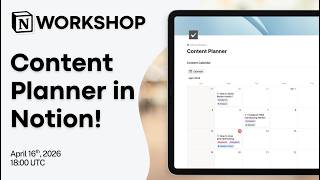
Notion Masterclass: Build Your Content Planner in Notion!
604 views
Notion vs. NotebookLM vs. Recall: Which AI Note taker Should You Use in 2026?
1.6K views