
How to create a DAILY Planner with xTiles (+ free template & tutorial) | Notion Alternative
🛍️ Products Mentioned (9)
Interested in the daily planner template?
Check our blog article about xTiles
Check Indify
Widgetbox Product
Our store
Our classes
Our coaching service
Our community
Want to try xTiles? Sign up for free here
✨Want to try xTiles? Sign up for free here: https://xtiles.app/en?fp_ref=the-organized-notebook69 😫 Feel overwhelmed with daily planning? We've found a SIMPLE and EASY alternative that allows you to plan your day in the most manageable way. It is xTiles, an all-in-one workspace for your digital planning 📽️In this video, we will show you step-by-step how to build a daily planner using xTiles. This planner lets you organize notes, view tasks, set goals, manage your schedule, and allocate time blocks. If this is what you've been searching for, plan with us and give xTiles a try! 💕 Subscribe to our channel for the latest tips & templates about productivity & organization. 🗓️ Interested in the daily planner template? https://theorganizednotebook.com/collections/xtiles-templates 🖥️Check our blog article about xTiles: https://theorganizednotebook.com/blogs/blog/how-to-create-a-daily-planner-with-xtiles-free-template-tutorial-notion-alternative 🌟 Want to make your workspace more lively with widgets? Check Indify http://indify.co/ or Widget Box https://widgetbox.app/ for a wide variety of widgets to make your workspace uniquely yours! ⏱️ Time Stamps 0:00 Intro 0:31 Quick overview of the xTiles daily planner template 2:33 Download xTiles on your desktop for a faster experience 2:49 Create A New Project Template on xTiles 3:01 Easy Page Setup | box layout, icon and widget 3:46 Add a calendar widget using Widgetbox 4:43 Create a Today’s schedule to time block your day 6:09 Set a “Monthly Goal” section 7:07 Create a “To-do List” section 8:35 Add a “Note” section 9:07 Add a “Useful Links” section 10:41 Create a Task Calendar Tab 11:39 Archive old schedule to refresh your daily planning 12:03 Categorize your archive items 13:20 Final review 13:58 Download Free Template ✨The Organized Notebook 🗓💼 ✨ Facebook: https://www.facebook.com/the.organized.notebook Instagram: https://www.instagram.com/the.organized.notebook/ TikTok: https://www.tiktok.com/@the.organized.notebook Pinterest https://www.pinterest.com/organizednotebook Twitter https://twitter.com/organizednote Our store: https://theorganizednotebook.com/store/ Our classes: https://theorganizednotebook.com/classes/ Our coaching service: https://theorganizednotebook.com/coaching-service/ Our community: https://www.meetup.com/notion-meetup-group/ ❗️* This video is sponsored by xTiles FTC Disclaimer: This video also contains affiliate links. If you click on one of them, we may receive a commission. Copyright 2024. The Organized Notebook © All rights reserved. #xTiles #digitalplanner #dailyplanner @The Organized Notebook
🎬 More from The Organized Notebook
10 Task Management Tips & Tricks in Notion | Notion Tutorial & Guide!
62 views
EASY Time Block System with Notion & Notion Calendar! (Step-by-Step Tutorial)
1.0K views
NEW Notion AI Skills | Tutorial + FREE Skill Pack Template
938 views
ULTIMATE Content Planner Notion Template | Template Tour & Tutorial + AI Version
1.2K views
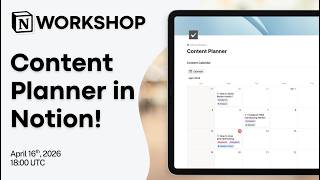
Notion Masterclass: Build Your Content Planner in Notion!
604 views
Notion vs. NotebookLM vs. Recall: Which AI Note taker Should You Use in 2026?
1.6K views