
Create a SIMPLE personal dashboard with Notion ( + top 10 Tips) | Beginner Tutorial + Free Template
🛍️ Products Mentioned (7)
Download this template?
Our store
Our classes
Our coaching service
Our community
If you like how Notion AI automates the workflow in our videos or if you're new to Notion you can sign up here through our Link-in-bio
Widgetbox Product
Hi Everyone! One of the most important pages you create in Notion is most likely a personal dashboard. It is where you can store all your pages and create a central hub for everything. In this video, we’ll show how to build a super simple personal dashboard with Notion and some tips on how to customize it. Don’t forget to subscribe to our channel for the latest tips & templates about productivity & organization. ✨New to Notion / Interested in Notion AI?✨ If you like how Notion AI automates the workflow in our videos or if you're new to Notion you can sign up here through our Link-in-bio: https://bit.ly/organizednotebook ❗Full disclosure: we are a Notion Partner, so when you sign up with my link, you also help support us and our content! ✨Time Stamps✨ 0:00 Intro 0:21 Set up page layout for an aesthetic look | cover photo, page width, and icon 1:15 Tip 1: Have a todo list and calendar database in your dashboard 2:18 Tip 2: Create a sidebar menu for easy navigation 3:10 Tip 3: Create linked views from original databases 3:30 Tip 4: Use the “column” function for a better layout 4:00 Tip 5: Hide the database title for a clean look 4:09 Tip 6: Set up load limits to avoid clogging the space 4:24 Tip 7: Use headings & dividers to separate sections 5:10 Tip 8: Review database properties 6:28 Tip 9: Set up weekly and monthly views for the calendar database 7:47 Tip 10: Add a new page or database from your sidebar menu 8:15 Tip 11: Use the Notion template gallery for ideas & inspiration 8:52 Tip 12: Add widgets If you are interested in Widgetbox, please find here https://widgetbox.app/ ✨Download this template?✨ https://theorganizednotebook.com/personal-dashboard-notion-template-buildwithme/ Enter code PERSONAL100 to get this for FREE. We do this to prevent bots from accessing all of our templates. Although it's free, we'd also greatly appreciate any donations to continue doing this ❤️ ✨The Organized Notebook 🗓💼 ✨ Our store: https://theorganizednotebook.com/store/ Our classes: https://theorganizednotebook.com/classes/ Our coaching service: https://theorganizednotebook.com/coaching-service/ Our community: https://www.meetup.com/notion-meetup-group/ ❗️* This video is not sponsored by Notion Copyright 2023. The Organized Notebook © All rights reserved. #notion #notiontemplate #notionapp @The Organized Notebook
🎬 More from The Organized Notebook
10 Task Management Tips & Tricks in Notion | Notion Tutorial & Guide!
62 views
EASY Time Block System with Notion & Notion Calendar! (Step-by-Step Tutorial)
1.0K views
NEW Notion AI Skills | Tutorial + FREE Skill Pack Template
938 views
ULTIMATE Content Planner Notion Template | Template Tour & Tutorial + AI Version
1.2K views
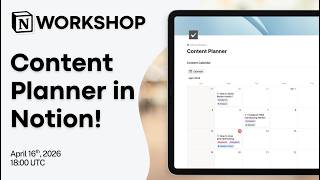
Notion Masterclass: Build Your Content Planner in Notion!
604 views
Notion vs. NotebookLM vs. Recall: Which AI Note taker Should You Use in 2026?
1.6K views