
Automated Expense Tracking in Notion | Rows Integration Step-by-Step Tutorial
🛍️ Products Mentioned (8)
Ready to automate your expense tracking in Notion? Try out Rows ⬇
Learn more in the blog article
Our store
Our classes
Our coaching service
Our community
template here
If you like how Notion AI automates the workflow in our videos or if you're new to Notion you can sign up here through our Link-in-bio
💸 Ready to automate your expense tracking in Notion? Try out Rows ⬇️ https://rows.com/auth/sign-up?utm_source=affiliates&utm_campaign=organized_notebook&utm_medium=newsletter In this video, I’ll be showing how to automate your expense tracking using Rows! Rows is an amazing spreadsheet tool that goes beyond the usual capabilities of traditional spreadsheet software. This tutorial will include how to set up Rows, connecting your bank account and creating a finance tracker from scratch, and more! Don’t forget to like, share, and subscribe to our channel for more valuable tips! 🚀🔥 💻 Learn more in the blog article: https://theorganizednotebook.com/blogs/blog/automated-expense-tracking-in-notion-rows-integration 💰Interested in the ULTIMATE Finance Tracker Notion Template mentioned in this video? https://theorganizednotebook.com/products/ultimate-personal-finance-tracker-notion-template ✨New to Notion / Interested in Notion AI? If you like how Notion AI automates the workflow in our videos or if you're new to Notion you can sign up here through our Link-in-bio: https://bit.ly/organizednotebook ❗Full disclosure: we are a Notion Partner, so when you sign up with my link, you also help support us and our content! ⏭️ Watch Next Learn Notion by Building Playlist: https://www.youtube.com/watch?v=01Mww1u-wVw&list=PLtlTpapNYD0QgSmWz2utad4AQ7amkvDt1 Notion In-Depth Tutorials: https://www.youtube.com/watch?v=aVKrhKBaeLg&list=PLtlTpapNYD0RuftXXKQbpaqU30s3-v7-_ ⏱️ Time Stamps 0:00 Intro 0:34 Getting Started 0:49 Connect your Bank 2:13 Connect to Notion 3:03 Build a Simple Notion Finance Tracker 4:12 Rows Formula Connection 6:06 Convert Notion Properties 7:39 Using an Existing Notion Template 8:37 Adjusting the Notion Database 9:56 Set Up Notion Automations 10:56 Edit Rows Formula 11:29 Filter Rows Import 12:22 Final Notes 12:55 Rows Pricing 13:33 Security ✨The Organized Notebook 🗓💼 ✨ Facebook: https://www.facebook.com/the.organized.notebook Instagram: https://www.instagram.com/the.organized.notebook/ TikTok: https://www.tiktok.com/@the.organized.notebook Pinterest https://www.pinterest.com/organizednotebook Twitter https://twitter.com/organizednote Our store: https://theorganizednotebook.com/store/ Our classes: https://theorganizednotebook.com/classes/ Our coaching service: https://theorganizednotebook.com/coaching-service/ Our community: https://www.meetup.com/notion-meetup-group/ ❗️* This video is sponsored by Rows FTC Disclaimer: This video also contains affiliate links. If you click on one of them, we may receive a commission. Copyright 2024. The Organized Notebook © All rights reserved. #notion #notiontemplate #finance @The Organized Notebook
🎬 More from The Organized Notebook
10 Task Management Tips & Tricks in Notion | Notion Tutorial & Guide!
62 views
EASY Time Block System with Notion & Notion Calendar! (Step-by-Step Tutorial)
1.0K views
NEW Notion AI Skills | Tutorial + FREE Skill Pack Template
938 views
ULTIMATE Content Planner Notion Template | Template Tour & Tutorial + AI Version
1.2K views
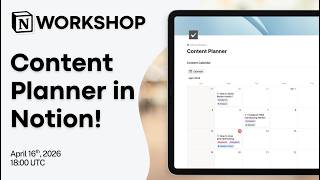
Notion Masterclass: Build Your Content Planner in Notion!
604 views
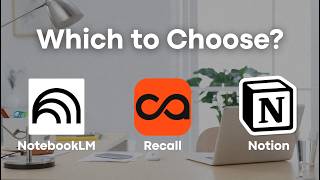
Notion vs. NotebookLM vs. Recall: Which AI Note taker Should You Use in 2026?
1.6K views