
FULL Database Access with Supabase MCP Server (Cursor)!
🛍️ Products Mentioned (1)
✅ Free Custom Backend Architecture Review → https://www.theodufort.com/free-analysis?utm_source=lhnozwcHn7A&utm_medium=description&utm_campaign=youtube I will show you how to connect Supabase MCP server to Cursor. Here is the code: { "mcpServers": { "supabase": { "command": "cmd", "args": [ "/c", "npx", "-y", "@supabase/mcp-server-supabase@latest", "--access-token", "xxxxxxxx" ] } } } Timestamps: 00:00 Supabase MCP Server Setup in Cursor: Full Database Access Intro 01:09 How to Get Your Supabase Access Token for MCP Server 01:55 Validate Your Supabase MCP Server Connection in Cursor 02:25 Test Creating a Table with Supabase MCP Server in Cursor 04:03 Test Inserting Data into a Supabase Table with MCP Server 📌 Watch these next: 🔹 Supabase Local Development Guide → https://youtu.be/BceVcpiOlKM 🔹 Migrate Supabase to Self-Hosted → https://youtu.be/ME3_sT6b-Zs #Supabase #PostgreSQL #BackendDevelopment #WebDevelopment #SelfHosted #DatabaseMigrations #SupabaseHosting
🎬 More from Theo in Tech | Backend Engineering
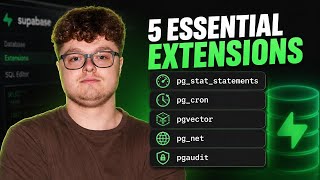
Every Supabase Developer Needs These 5 Extensions
71 views

Real Production Supabase Architecture Review (ep. 3)
52 views

Real Production Supabase Architecture Review (ep. 2)
74 views

Real Production Supabase Architecture Review (ep. 1)
241 views

Hiring for apps in 2026: freelance, agency, or AI?
245 views
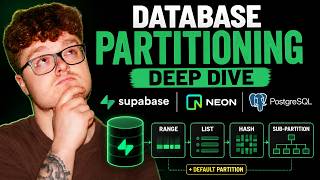
Database Partitioning Deep Dive: Supabase, Neon, and PostgreSQL
131 views