
Vlogmas Video 19 | 3 Features I Didn't Know We Could Do In NOTEFUL!
Video Description I just found out Noteful can do things nobody ever talks about and it lowkey changed how I use my planner. I’ve been struggling with my setup, feeling behind, feeling messy, and then I stumbled into these three features that made everything finally click. The three Noteful features they been gatekeeping 1. Set your own text size and font You are not stuck with tiny, ugly default text. In Noteful you can choose your font and control the exact size so your planner actually looks like you. No more squinting. No more pages looking off. 2. Copy stickers from GoodNotes straight into Noteful I did not know this was even possible. You can copy your stickers right out of GoodNotes and paste them into Noteful. That means you don’t have to rebuy anything and you don’t have to start over. Your whole sticker library comes with you. 3. View two pages at once This is the one that saved me. You can see two pages side by side, just like a real planner. One page for your week, one page for notes, goals, or stickers. It makes planning feel calm instead of chaotic. If you’re like me and your planner has been all over the place, this video is for you. I’m not showing perfection. I’m showing what actually helped me get unstuck. free planner - beyondthex.net
🎬 More from The Dominating Teacher
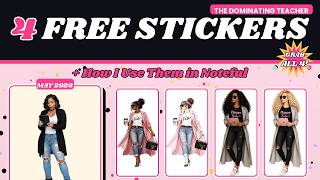
4 FREE Digital Planner Stickers + How I Use Them in Noteful (May Freebies)
61 views
April Plan With ME | Getting Back Into It After Q1
101 views
Why I’ve Been Away (Quick Life Update)
100 views
Plan our day
98 views
Vlogmas Video 20 | “Fixing My 2026 Sticker System After GoodNotes Let Me Down”
138 views
Vlogmas Video 18 | All I Want For Christmas | Christmas Unboxing
87 views