
“Vlogmas Kickoff Checking My 2026 Links”
Vlogmas Video 1: How I Check My Links Welcome to Vlogmas, y’all! 🎄 Tonight I’m kicking things off by checking every single link in my 2026 digital planner. Before I design anything cute, the foundation has to work. That means tabs, buttons, dashboards, months, weeks… all of it. If you’re building a planner for the first time or updating your layout for 2026, this is exactly how I test my links step-by-step so everything opens where it’s supposed to. No surprises. No broken links. No “uh-oh” moments after you upload to Etsy. In this video I’m showing you: • How I switch to read-only mode • What pages I ALWAYS check twice • How I avoid common planner mistakes • And what I fix immediately before exporting my final PDF I’m building my full 2026 Dominating Teacher Planner right here on camera all month long—so stick around for Vlogmas! More layouts, dashboards, spreads, and behind-the-scenes coming tomorrow. Happy Vlogmas and happy planning! ❤️✨
🎬 More from The Dominating Teacher
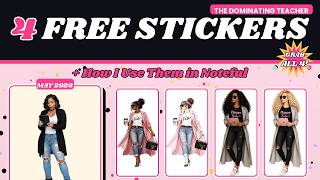
4 FREE Digital Planner Stickers + How I Use Them in Noteful (May Freebies)
61 views

April Plan With ME | Getting Back Into It After Q1
101 views
Why I’ve Been Away (Quick Life Update)
100 views
Plan our day
98 views
Vlogmas Video 20 | “Fixing My 2026 Sticker System After GoodNotes Let Me Down”
138 views
Vlogmas Video 19 | 3 Features I Didn't Know We Could Do In NOTEFUL!
199 views