
How to Remove and Clean Sticky Keys on Macbook Air Step by Step Repair (Very Detailed Fix)
🛍️ Products Mentioned (1)
We have a 2014 Macbook air 13'' that had some sticky after spill damage from the previous owner, probably some soda or coffee. I don't like crunchy keys that stick down and don't come back up properly so we decided to remove the keys that were damaged, clean them, then reassemble. It was about half of the keyboard and it was very tedious but well worth the repair. It will work for many other years of macbook air and macbook pro with the same keyboard switch design, and it will work similarly with other keyboards you may have to do more digging to how the keys attach to the switch. Cleaning your macbook air keyboard or single keys after a spill could save you the discomfort of crunchy keys and could also save you from having to get a new computer. Keyboard Covers Save Computers -https://amzn.to/2GFbsAi m1 Macbooks- https://youtu.be/cXfOYCrDLvk Things we used in this repair -Small flathead electronics screwdriver -Isopropyl alcohol 91% -Toothbrush head -Plate -Towel Video Index Intro 0:00 Tools used 1:00 Tips 2:28 Keys explained 4:00 How to remove a key 5:49 Removing the keys 7:19 Cleaning the keyboard side 9:30 Cleaning the key side 10:20 Reinstalling the various keys 12:04 Wrap up thoughts 14:59
🎬 More from thecollegepicker
GE Stackable Washer Dryer Combo Front Panel Removal (EASY!)
44.4K views
Refrigerator Repair Ice Bin Replacement Whirlpool WRS315SDHT Side by Side
13.2K views
Guilikit Joycon Installation LEFT AND RIGHT JOYCON JOYSTICK REPLACEMENT Nintendo Switch
12.3K views
How to Remove M2 Macbook Air Keys (cleaning or replacement)
280.4K views

How to Copy Data from Android to Android Wireless or Wired 2024 (FREE and SECURE)
126.1K views
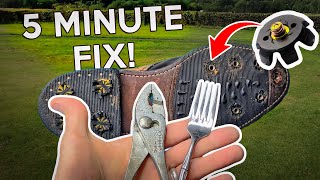
Easy & Quick DIY Hack For Removing Broken Golf Shoe Spikes
19.9K views