
RetroBar: Retro Taskbar Replacement Tutorial (Windows 7-11)
🛍️ Products Mentioned (19)
OR, if you don't want to deal with the ai-hell that is deviant art, grab the dark themes here
Here's the Longhorn Jade theme I used as a cheat sheet
Download EarTrumpet (better audio flyout)
Epicpants Product
Zweihander Product
Teksyndicate Product
Bluesky
Twitch
Fediverse
Discord
great deals on Windows 11 CDKeys or buy Windows 10 Pro OEM keys at
Windows 11 Pro – $23
Windows 11 Home – $22
Windows 10 Pro – $17
Office 2016 Pro – $29
I use RetroBar to replace my taskbar
My RetroBar dark themes
Office 2019 Pro – $54
Windows 10 Home – $15
Whokeys Mid-Year Sale 25% code:TS25 Windows 11 Pro a $23: https://biitt.ly/Bfj6E Windows 10 Pro a $17: https://biitt.ly/XNQ7G Windows 10 Home a $15: https://biitt.ly/Lcum9 Windows 11 Home a $22: https://biitt.ly/gHG0u Office 2019 Pro a $49: https://biitt.ly/Z9VtR Office 2016 Pro a $29: https://biitt.ly/dtNvb https://whokeys.com #windows11 #midyearsale #whokeys Store: https://epicpants.com Music: https://zweihander.com Website: https://teksyndicate.com ----------------------------- Download RetroBar here: https://github.com/dremin/RetroBar (click on "Releases" on the right sidebar, get the version for your system) Get my dark themes for RetroBar here: https://www.deviantart.com/madhale/art/RetroBar-Dark-Modes-Windows-95-2000-XP-Etc-1053142400 OR, if you don't want to deal with the ai-hell that is deviant art, grab the dark themes here: https://easymode.sfo3.digitaloceanspaces.com/misskey/a9d30a3a-7395-4156-b1a2-c8a69faf8b41 Here's the Longhorn Jade theme I used as a cheat sheet: https://www.deviantart.com/longhornfusion/art/Longhorn-Jade-M7-4042-4093-for-RetroBar-965395315 Download EarTrumpet (better audio flyout): https://apps.microsoft.com/detail/9nblggh516xp?amp%3Bgl=US&hl=en-us&gl=US RetroBar is a Windows taskbar replacement that works on Windows 7, Windows 8, Windows 10, and Windows 11. It works like the old taskbars on Vista (it was optional on 7) going all the way back to Windows 98 (or maybe 95). The key difference here is the placement of the QuickLaunch area. It's on the left, then the tabs are on the taskbar to the right. See the video for a full demonstration. I didn't realize how much I missed this layout. I currently use RetroBar on Windows and I use Plasma 6 on Fedora with a layout that is basically the same. It's awesome. Let me know what you think. TOC 00:00 The Community Responds 01:04 Whokeys 02:00 Let's Install RetroBar 03:10 Why I like QuickLaunch better than the modern taskbar icons 05:30 RetroBar Functionality Overview 06:30 Install My RetroBar Dark Themes 09:30 Limitations of RetroBar 10:00 Extra Credit - Replace the Volume Flyout 11:50 Managing the QuickLaunch Area 12:55 Extra Credit - Remember Launchy? Check this out 13:17 What should we do next? Social: https://easymode.im/@ward/ https://bsky.app/profile/wardhale.bsky.social Twitter: https://twitter.com/teksyndicate/ Discord: https://discord.gg/vsCxNSD Twitch: https://www.twitch.tv/midnightdojo/ #windows11 #hack #windows 10 #taskbar #retrobar For marketing (sponsorship opportunities) inquiries email inbox@teksyndicate.com As an Amazon Associate we may earn from qualifying purchases... even though Amazon is ugly.
🎬 More from Tek Syndicate

Did I Quit YouTube? Where Have I Been?
12.2K views
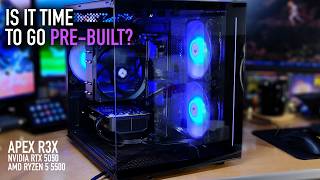
APEX RX3 Full Review, Benchmarks, & Gaming - Let's Play Awesome Stuff
3.9K views
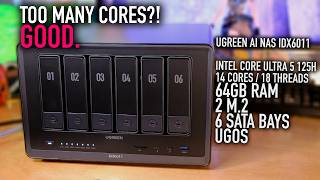
UGREEN AI NAS iDX6011 Full Overview - 14 Cores/18 Threads, 64GB RAM, 2 M.2 in a NAS!
6.5K views
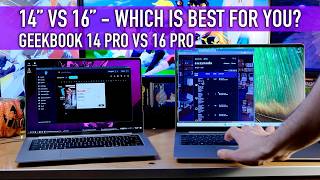
14" VS 16" Laptop: Geekom GeekBook X14 Pro VS X16 Pro - Which is for you?
2.8K views
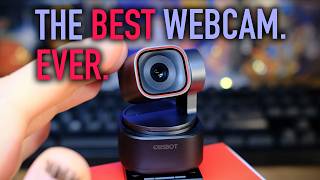
Obsbot Tiny 3: The Best Streaming Camera Ever. Replace Your DSLR
4.2K views
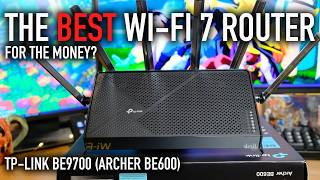
TP-Link BE9700 (Archer BE600) WiFi 7 Router for Under $250
6.7K views