
How to Install TrueNAS on UGREEN NASync DXP4800 Plus | VMs, Pihole, Jellyfin, Etc.
🛍️ Products Mentioned (13)
UGREEN NASync DXP4800 Plus on Amazon (20% OFF, 11/21–12/2)
UGREEN NASync Lineup on Amazon
UGREEN NASync DXP4800 Plus on Official Store (20% OFF, 11/21–12/2)
UGREEN NASync Lineup on Official Store
TrueNAS links
VirtIO ISO Download
Epicpants Product
Zweihander Product
Teksyndicate Product
Bluesky
Twitch
Fediverse
Discord
UGREEN NASync Deals & Where to Buy: 🛒 UGREEN NASync DXP4800 Plus on Amazon (20% OFF, 11/21–12/2): https://amzn.to/4hVGMb2 🛒 UGREEN NASync Lineup on Amazon: https://amzn.to/4fGqKjJ 🌐 UGREEN NASync DXP4800 Plus on Official Store (20% OFF, 11/21–12/2): https://bit.ly/3Z9uwwd 🌐 UGREEN NASync Lineup on Official Store: https://bit.ly/3AIpI7J 🛒 https://epicpants.com 🎵 https://zweihander.com 💻 https://teksyndicate.com 🎮 Gaming Channel: https://youtube.com/@easymode The UGREEN NASsync DXP4800 is faster, has more ports, has faster ports, and is more capable than most everything in this price category. Plus, they promised that we could install a 3rd party OS... so I'm going to show you how to install TrueNAS Scale, set up some VMs, pihole, Jellyfin, and a few other things. TrueNAS links: https://www.truenas.com/truenas-scale/ VirtIO ISO Download: https://fedorapeople.org/groups/virt/virtio-win/direct-downloads/archive-virtio/?C=M;O=D Click into the latest folder and download the iso that looks like this: virtio-win-0.1.262.iso (or whatever the latest version is). UGREEN NASync DXP4800 Plus Specs: 🔢 SKU: 35260 🖥 Model: DXP4800 Plus 🗃 Drive Bays: 4-Bay (SATA) 🛠 Operating System: UGOS Pro 🔧 CPU: Intel 12th Gen N Series (8505), x86 architecture, 4 cores, 4 threads 🧠 RAM: 8GB DDR5, ODECC supported, expandable to 64GB 💾 System Disk: 128GB SSD 📦 SATA Drive Bays: 4 🖇 M.2 SSD Slots: 2 🔄 RAID Levels: JBOD, Basic, 0, 1, 5, 6, 10 ⚡ Maximum Storage: 104TB (4x 24TB + 2x 4TB) 🌐 LAN Ports: 1x 2.5GbE, 1x 10GbE 🚫 PCIe Expansion: Not supported 🚫 Thunderbolt™ 4 Ports: Not supported ⚡ Front USB Ports: 1x USB-C (10Gb/s), 1x USB-A (10Gb/s) ⚡ Rear USB Ports: 1x USB-A (5Gb/s), 2x USB-A (480Mb/s) 📇 SD Card Reader: SD 3.0 📺 HDMI: Supports 4K TOC 00:28 UGREEN NASync DXP4800 Plus Hardware Overview 01:53 Put TrueNAS Scale onto USB 03:40 Install TrueNAS Scale 06:01 Access the Web UI 06:44 Add a Storage Pools & Shares 09:45 Map a SMB Share in Windows (map a network drive) 10:56 Set Up the Network and Add a Bridge 13:44 Note About Credentials 14:36 Set up a VM Running Windows 10 22:36 Check Out Some Apps 23:30 Install Jellyfin 25:04 Install Pihole Social 🐘 Fediverse: https://easymode.im/@ward/ 🐦 Twitter: https://twitter.com/teksyndicate/ 🛸 Bluesky (personal): https://bsky.app/profile/wardhale.bsky.social 💬 Discord: https://discord.gg/vsCxNSD 🎥 Twitch: https://www.twitch.tv/midnightdojo/ 💼 Marketing & Sponsorships For inquiries, email: inbox@teksyndicate.com We only email from @teksyndicate.com or @midnightdojo.com — beware of other addresses! #Ugreen #UgreenNASync #UgreenNAS As an Amazon Associate, we may earn from qualifying purchases... even though Amazon is ugly.
🎬 More from Tek Syndicate

Did I Quit YouTube? Where Have I Been?
12.2K views

APEX RX3 Full Review, Benchmarks, & Gaming - Let's Play Awesome Stuff
3.9K views
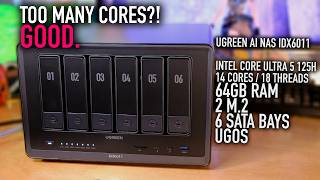
UGREEN AI NAS iDX6011 Full Overview - 14 Cores/18 Threads, 64GB RAM, 2 M.2 in a NAS!
6.5K views

14" VS 16" Laptop: Geekom GeekBook X14 Pro VS X16 Pro - Which is for you?
2.8K views

Obsbot Tiny 3: The Best Streaming Camera Ever. Replace Your DSLR
4.2K views

TP-Link BE9700 (Archer BE600) WiFi 7 Router for Under $250
6.7K views